

PDF Marketing Collateral Sharing: A Practical Guide for Teams
The best way to share PDF marketing collateral is to keep one approved version in one place, send people a link instead of a file, and control who can see, use and change it. Email attachments still work for a single small file. Once you have a sales team, franchisees or partners, a managed link or a shared library keeps everyone on the current version and keeps your brand intact.
This guide shows you how to choose a sharing method, organize your files, protect them, and find out whether anyone is using them.
TL;DR
- Send a link, not an attachment, for anything large, sensitive or likely to change. Links can carry permissions, expiration dates and view tracking.
- Name one location as the source of truth, and label each file’s status so nobody circulates an outdated brochure.
- Limit access by role and keep an activity record of who opened or changed what.
- Export PDFs so they are accessible and light enough to open on a phone.
- Count views, downloads and follow-up actions, then retire what nobody uses.
Table of Contents
- What counts as PDF marketing collateral?
- Four ways to share PDF collateral, compared
- How to keep everyone on the current version
- Controlling branding, editing and access
- Sharing collateral with franchisees, partners and sales teams
- Check accessibility and file quality before you send
- Measuring whether your collateral gets used
- Our perspective
- How Photofy fits into your sharing workflow
- FAQ
- Sources
What counts as PDF marketing collateral?
Marketing collateral is the branded, customer-facing material a business uses to support marketing and sales. VistaPrint’s overview includes digital assets such as downloadable guides, e-books, checklists, presentations and one-pagers used in pitches or proposals.
In practice, the PDFs most teams share fall into a few groups:
- Sales enablement: pitch decks, case studies, one-pagers and comparison sheets.
- Product collateral: brochures, spec sheets, catalogs and price guides.
- Brand assets: style guides, logo packs and co-branding rules.
- Lead generation: white papers, guides and reports that visitors download.
- Event materials: schedules, handouts and floor plans.
PDF stays popular because it holds layout and fonts on any device. The same file looks the same on a dealer’s phone, a partner’s laptop and a customer’s tablet. That consistency is the reason brand managers prefer it for anything that carries logos, legal wording or pricing.
Businesses use this material for lead generation, customer loyalty and sales, according to Shopify’s guide. The collateral does its work when the right person has the right version at the moment a prospect asks for it.
Four ways to share PDF collateral, compared
There are four common methods. Each fits a different situation.
| Method | Best for | Main strength | Main risk |
|---|---|---|---|
| Email attachment | One small file to one person | Works offline once downloaded | Old copies keep circulating |
| Shared link | Files that change or are sensitive | Permissions, expiry, view tracking | Links can be forwarded if left open |
| Shared library or folder | Teams, partners, franchisees | One place to browse and download | Needs a clear structure and an owner |
| Branded content platform | Distributed teams that also need photo and video | Approved, editable, on-brand content in one place | Needs onboarding and rules |
Email attachments
Attachments are familiar. Mailchimp notes that common PDF attachments in email marketing include whitepapers, case studies, product specifications, digital brochures and catalogs. It also notes that attachments give recipients offline access, which helps when someone is traveling or has a weak connection.
The weakness is control. Once a PDF is sent, you cannot update it, and the recipient may forward it for months. Use attachments for small, stable files that are not confidential.
Shared links
A link is usually the better choice for anything that may change. Adobe Acrobat explains that recipients can open a linked PDF in a browser without special software. Permissions can restrict access, set expiration dates or require passwords, and you can see who viewed the document and when.
That last point matters for marketing. A link tells you whether the pitch deck you sent was ever opened. An attachment tells you nothing.
Shared libraries
When many people need the same files, a central library saves everyone time. Reps browse, search and download on their own, so they do not wait for headquarters to email a file. The library works only if it has a clear folder structure, a naming rule and one person who owns it. We cover that setup in the next section.
Branded content platforms
PDFs rarely travel alone. A dealer needs the brochure, plus a photo for social media, plus a short video. A direct seller needs the product sheet and a branded post that goes with it. A platform that holds all of these formats lets the team find, customize and publish from one place instead of juggling three tools. This is where we come in, and we cover it further below.
How to keep everyone on the current version
The most common collateral problem is not a missing file. It is three versions of the same file in three places, and a rep who sends the oldest one.
Fix it with four habits.
- Choose one authoritative location. Pick a single cloud storage space as the source of truth, with version history, role-based permissions, activity logging, searchable metadata and reliable restore options. Those are the features a document version control guide lists as the baseline, and they apply whatever tool you pick.
- Name files so they sort. A pattern such as
2026-11_ProductOverview_v3_Approved.pdftells the reader the date, the subject, the version and the status at a glance. - Label status, not only version. A version number says how many times a file changed. A status such as Draft, In review, Approved or Superseded says whether anyone should use it.
- Move retired files out of sight. Put superseded PDFs in an archive folder with limited access. Do not delete them, because legal or compliance teams may need them later.
Add a short owner line to each folder: who approves changes, and how often the folder is reviewed. A quarterly review is enough for most small teams. Monthly suits teams with pricing or promotions that change often.
For a deeper rollout plan, our 90-day guide to content governance walks through approvals and traceability, and our template management guide covers how to keep editable files consistent.
Controlling branding, editing and access
A locked PDF protects your design. An editable template protects your brand while still letting local people add their own details. Most teams need both.
Decide what stays fixed and what can change
Write a one-page rule for each piece of collateral:
- Fixed: logo, colors, legal disclaimers, product claims, pricing.
- Editable: local contact details, a photo, a headline, an event date.
- Approval needed: anything outside those lines.
When reps know the boundaries, they stop asking for permission on small things. Headquarters stops chasing off-brand files.
Limit access by role
Not everyone needs every file. Give new hires access to current sales material only. Give managers access to drafts. Give partners access to the files built for them.
This is also standard security practice. NIST’s control 3.1.1 calls for limiting system access to authorized users, processes acting for those users and devices, using policies based on identity or role. NIST wrote it for systems handling controlled federal information, but the principle fits any business with confidential pricing or unreleased product details.
Keep a record of activity
The same NIST publication describes audit logs that record time stamps, user identifiers, event descriptions and the filenames involved, so that unauthorized activity can be investigated (control 3.3.1). For marketing collateral, a simple version is enough: know who uploaded a file, who changed it and who downloaded it.
Use expiring links for time-sensitive material
A seasonal promotion or a draft price sheet should not live forever. Set an expiration date on the link, as Adobe describes, so the file stops opening when the offer ends. That removes the awkward moment when a prospect quotes last year’s price back to you.
Sharing collateral with franchisees, partners and sales teams
Distributed teams add two pressures: consistency and speed. Headquarters wants every location to look like the same company. Local owners want something they can use today, with their own name and number on it.
A few practices help both sides.
- Build a starter kit. Give every new location or rep the same set of approved PDFs, photos and short videos on day one.
- Pre-fill what you can. If a flyer needs a local address, provide a version where the rep types it in rather than rebuilding the design.
- Separate audiences. A customer-facing brochure and an internal pricing guide should not sit in the same folder.
- Tell people what changed. When you replace a file, send a short note listing the file and the reason. Otherwise reps keep using what they saved last month.
- Match the format to the use. A rep on a lot or at an event is working from a phone. A 40 MB PDF will not open quickly there.
Automotive teams are a clear example. A dealer sales team needs a vehicle brochure, a photo for a social post and a walkaround video, all branded by the manufacturer and all current. We describe what to build, share and track in our dealer marketing assets guide. For the wider picture, our content distribution playbook and distributed marketing guide go deeper on brand control at scale.
If your collateral also feeds channel partners and co-op funds, our through-channel marketing guide explains how to automate that flow.
Check accessibility and file quality before you send
A PDF that cannot be read on a phone or by a screen reader fails some of your audience before they read a word. Run through a short check before every release:
- Export from the source file instead of scanning or printing to PDF, so text stays real text.
- Use real headings and a logical reading order.
- Add alternative text to meaningful images.
- Check color contrast between text and background.
- Set the document title and language in the file properties.
- Compress images so the file opens quickly on mobile data.
- Open the final file on a phone before you send it.
Our accessible PDF export checklist covers each of these steps for marketers who are not designers.
Also remove hidden details before sharing. Check the file for comments, tracked changes and metadata that show internal names or draft notes.
Measuring whether your collateral gets used
Sharing is only half the job. You also want to know what happens next. A practical measurement plan has three levels.
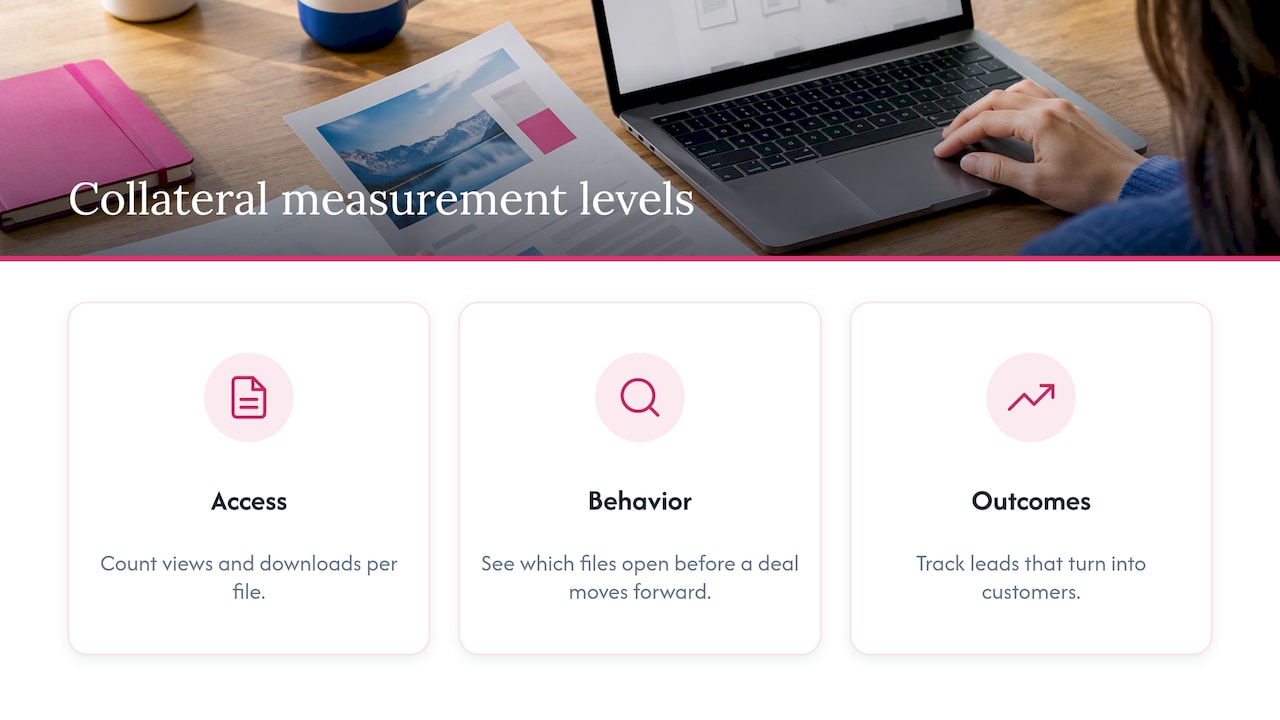
Level one: access. Count views and downloads per file. Adobe notes that link sharing lets you see who viewed a document and when, which gives you this data without extra tools.
Level two: behavior. Look at which files get opened by prospects before a deal moves forward, which are opened once and never again, and which reps never use. Files that nobody opens are candidates for a rewrite or retirement.
Level three: outcomes. Connect collateral to results. Ask reps which piece helped close a conversation. Track whether a gated guide produces leads that turn into customers. If you publish downloadable guides to attract buyers, this article on using content for lead generation shows how to connect them to your pipeline.
Review the numbers monthly. Keep what works, update what is close, and remove what is ignored. A smaller library that people trust beats a large one nobody can navigate. Our campaign asset checklist helps you decide what to build before a launch so that the library stays lean.
Our perspective
We built Photofy around a simple observation: the people closest to customers need approved marketing content they can use in minutes, and the people responsible for the brand need to know it stays consistent.
PDFs are one part of that. A rep rarely needs only a brochure. They need the brochure, a photo that fits a social post and a short video, all carrying the right branding. When those live in separate places, reps improvise, and improvising is where off-brand content starts.
That is why we combine branded content creation, team approvals, asset management and publishing in one platform. Headquarters sets the templates and rules. Local teams customize within them, on iOS, Android or desktop, and share the result without waiting. For larger organizations, our white-label option lets the platform carry your own brand.
If you take only one thing from this guide, make it this: choose one source of truth, share by link or from a managed library, and make the approved version the easiest one to find.
Jon
How Photofy fits into your sharing workflow
If your collateral is more than PDFs, we can help you organize and share it all together. Photofy offers pre-designed and custom templates, a stock asset library, video stitching, graphic and text overlays, scheduling, analytics and white-label content management for teams.
Published plans, as read from our site:
- Small Business: $10.99 per month or $99 per year, on our Small Business page.
- Individual Plans: $11.95 per month, $29.97 per quarter or $99.95 per year.
- Pro Teams: $13.00 per month per user.
- Enterprise Teams: $9.00 per month per user.
You can compare these on our Individual Plans page. Franchise and enterprise setups are arranged through a direct inquiry, so contact us from the pricing page to discuss your network.
To see how it works for your team, start at Photofy.
FAQ
Should I send a PDF as an attachment or a link?
Send an attachment when the file is small, stable and not confidential. Send a link when the file is large, sensitive or likely to be updated. A link can carry permissions, expiration dates and passwords, and it lets you see who opened the file and when.
How do I stop reps from using outdated collateral?
Keep one approved version in one location, label each file’s status, and move replaced files into a restricted archive. When you publish an update, tell the team what changed. Reps use the old file when they cannot easily find the new one, so make the current version the easiest to reach.
What size should a marketing PDF be?
Aim for a file that opens quickly on a phone. Compress images, avoid embedding unnecessary fonts and test the final file on mobile data before you send it. Large print-ready versions can sit in a separate folder for printers and designers.
Can I control what franchisees or partners change?
Yes. Decide which elements are fixed, such as logos, claims and legal text, and which are editable, such as contact details and local photos. Provide templates that lock the first group and open the second, and require approval for anything beyond that.
How can I tell if my collateral works?
Start with views and downloads per file. Then watch which pieces prospects open before a deal advances, and ask your sales team which ones they use in conversations. Retire files that nobody opens.
Sources
- Marketing Collateral Definition & Types, VistaPrint
- Marketing Collateral: Types, Examples, and Tips, Shopify
- PDF to link: how to share PDFs, Adobe Acrobat
- Pros and Cons of Using Email Attachments, Mailchimp
- Version Control for Business Documents Guide
- NIST SP 800-171 Rev 2, control 3.1.1
- NIST SP 800-171 Rev 2 handbook, control 3.3.1
- How to Use Content for Lead Generation Successfully