
Content Repurposing for Social: A Practical Playbook
Content repurposing for social is the practice of converting one existing asset, like a webinar or blog post, into multiple platform-native posts instead of writing something new for every channel. Start today: pick one recent long-form asset and pull three native social assets from it, a short video, a carousel, and a quote graphic.
A single hour of usable video can generate roughly 20 to 30 publishable assets, including 8 to 12 vertical clips, when you follow a repeatable extraction process. That ratio alone should change how you think about production. You’re not creating a month of content every time you shoot. You’re creating a system that produces a month of content from one shoot.
Here’s your fastest starting point:
- Open your analytics and find your best-performing post or longest video from the last 90 days.
- Pull one 30 to 60 second clip that stands alone as a hook.
- Turn three key points into a five-slide carousel.
- Screenshot one strong quote or stat into a branded graphic.
Photofy’s template library and asset stitching tools make this extraction step fast, which matters because speed is the whole point.
Table of Contents
- What Is Content Repurposing, and How Is It Different From Cross-Posting?
- Which Content Should You Repurpose First?
- What Does a Weekly Repurposing Workflow Look Like?
- How Do You Adapt Repurposed Content for Each Platform?
- Which Tools Actually Speed Up Repurposing?
- How Do You Measure Whether Repurposing Is Working?
- How Photofy Supports a Repurposing Workflow
- What Are the Legal Considerations When Repurposing Content?
- How Do You Avoid Audience Fatigue When Repurposing?
- What Do Real Repurposing Wins Look Like?
- Why Most Repurposing Advice Undersells the Batching Discipline
- Get Your Repurposing Workflow Running With Photofy
- Frequently Asked Questions
- Sources
What Is Content Repurposing, and How Is It Different From Cross-Posting?
Content repurposing means taking the core idea from one asset and rebuilding it into a format that fits a different platform’s behavior and audience expectations. Optimizely defines it as converting existing content into different formats to reach new audiences and extend an asset’s working life. Cross-posting, by contrast, just pushes the same file to multiple channels and hopes the algorithm doesn’t notice.
The distinction matters because platforms punish laziness. A 16:9 YouTube clip dropped straight into TikTok looks amateurish and underperforms, because it ignores how people actually watch on that app. Repurposing keeps the core idea but rebuilds the structure, pacing, and tone for each channel. The message survives. The wrapper changes completely.
The economic case is straightforward. You already paid for the research, the guest booking, the script, the editing time. Repurposing lets you recover that investment multiple times instead of once. A single well-researched blog post can become:
- A five-part carousel for Instagram or LinkedIn.
- A three-post thread for X.
- A 45-second explainer reel with on-screen captions.
- A quote graphic pulling the strongest line.
- An email newsletter section.
A one-hour webinar follows the same logic in reverse: it becomes short clips, a full transcript, a blog spin-off, and audiograms for podcast-style distribution. One production cycle, five or six distribution formats. That’s the multiplier most teams leave on the table.
Which Content Should You Repurpose First?
Not every asset deserves a second life. Some content is a one-time announcement; other content is built to be mined for months. The rubric is simple: prioritize assets with evergreen relevance, strong historical performance, rich source formats (video and audio beat static text), and enough topical depth to support multiple angles.
A useful shorthand is a rough heuristic: reach × relevance × shelf life. Score each past asset loosely on those three factors, and the highest scorers go to the top of your repurposing queue.
- High historical engagement. A post that already outperformed your average is a signal the topic resonates, not a fluke to ignore.
- Evergreen subject matter. How-to content, framework explainers, and FAQ-style posts stay useful long after publish date, unlike news reactions or seasonal promotions.
- Rich original format. Video and long-form audio contain far more raw material (b-roll, quotes, tone, pacing) than a 200-word post, so they yield more derivative assets per hour invested.
- Topical depth. A webinar covering five subtopics can spin off five separate threads or carousels; a single-idea post can only become one asset, however you slice it.
Strong past performers are reliable seeds for longer content, and long-form pieces are reliable sources for short derivatives. The relationship runs both directions.
Pro Tip: Keep a running “repurpose candidates” list inside your content calendar. Every time something overperforms, tag it immediately, before you forget which post it was.
What Does a Weekly Repurposing Workflow Look Like?
A workflow only works if it fits inside a real week with real people. Here’s a five-step version built around one production session and one team.
- Inventory (30 minutes, content owner). List every long-form asset from the past two weeks: recordings, blog drafts, webinars, sales calls. Rank using the prioritization rubric above.
- Mark and highlight (during recording or within 24 hours, owner or editor). Note timestamps for strong quotes, surprising claims, or emotional beats while the memory of the recording is fresh. This single habit saves hours of scrubbing later.
- Cut for verticals (2 to 3 hours, editor). Pull 8 to 12 short clips per hour of source video, matching the productivity benchmark researchers at Bevyl.ai have documented. Batch this step; don’t edit one clip, then stop, then start again.
- Caption and brand (1 to 2 hours, designer). Add platform-specific captions, brand colors, and consistent typography across every derivative asset. This is where a template system earns its keep.
- Schedule and measure (30 minutes weekly, scheduler). Load the batch into a scheduling tool, spread across the week or month, then track which formats outperform.
Practical pipelines lean on exactly this sequence: a fast inventory, real-time marking, vertical-first cutting, then batching.
The batching principle is what makes this sustainable. One monthly shoot, properly mined, can supply a full month of daily posts. That’s roughly 20 to 30 assets from a single hour-long session, spread across four to five weeks. Teams that try to create fresh content daily burn out fast; teams that batch monthly and repurpose relentlessly don’t.

One more rule worth building in: re-run your winners. If a clip or carousel outperforms your average by a wide margin, don’t let it disappear after one cycle. Re-cut it with a new hook, a new caption angle, or a different platform crop three to six months later. Audiences turn over faster than you think, and a proven idea rarely gets old for a new segment of followers.
How Do You Adapt Repurposed Content for Each Platform?
This is where most repurposing efforts fail. Teams do the hard work of extraction, then dump the same edit everywhere, undoing the entire point. Success depends on making every asset feel native to the platform it lands on, not just present on it.
Short-form video: Reels, Shorts, and TikTok
Vertical format (9:16) is non-negotiable; a full breakdown of ratios by platform lives in Photofy’s aspect ratio cheat sheet. Hook viewers in the first 2 to 3 seconds, before the platform decides whether to keep showing your video to new people. Keep most clips between 15 and 60 seconds; longer works only if the pacing earns it. Burn in captions always, since a large share of viewers watch on mute. Your editing checklist should include: trim dead air, add a text hook overlay, caption in full, and end on a clear next step or question.
Carousels for Instagram and LinkedIn
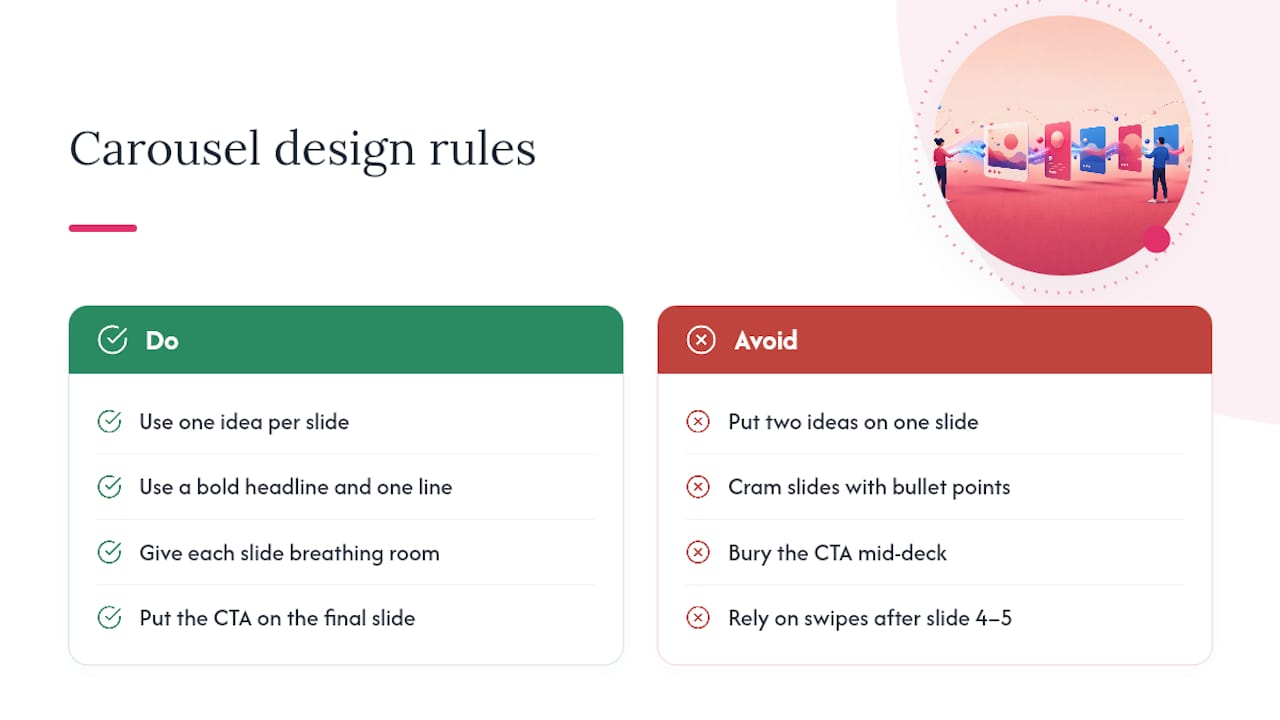
One idea per slide, never two. Visual hierarchy matters more than density: a bold headline, one supporting line, and breathing room beats a slide crammed with bullet points. Put your call to action on the final slide, not buried mid-deck, since swipe-through rates drop steadily after slide four or five.
Threads on X and post series on LinkedIn
Open with a claim that stands alone, since that’s the only line most people see before deciding to expand. Break each subsequent point into its own short post rather than one wall of text. Close with a summary line or a question that invites replies, which signals the algorithm that the thread is worth surfacing further.
Audio to transcript to blog and audiogram
Run the raw audio through a transcription tool, then use that transcript three ways: as the skeleton for a blog spin-off (which also helps search visibility), as the caption source for an audiogram with a waveform visual, and as a quote-mining source for graphic cards.
| Platform | Ideal length | Format rule | Caption style |
|---|---|---|---|
| TikTok / Reels / Shorts | 15 to 60 sec | 9:16 vertical, hook in 2 to 3 sec | Full burned-in captions |
| Instagram carousel | 5 to 8 slides | One idea per slide, CTA on last | Short headline per slide |
| LinkedIn post/thread | 3 to 5 posts | One point per post, strong opener | Conversational, no hashtag stuffing |
| X thread | 5 posts | Standalone opener, one idea per reply | Punchy, direct |
| YouTube long-form | 8 to 20 min | Chaptered, searchable title | Full transcript in description |
Pro Tip: Never reuse the exact caption across platforms. LinkedIn audiences expect a professional frame; the same line on TikTok reads stiff and out of place.
Which Tools Actually Speed Up Repurposing?
Tool selection comes down to matching automation to the step that’s actually slow for your team, not buying every AI feature available. Break your stack into three functions: capture, polish, and distribution. This separation, documented by teams who scale repurposing with small headcounts, keeps each tool doing one job well instead of one tool doing everything poorly.
- Capture: transcription and highlight detection that timestamps strong moments automatically, cutting the manual scrubbing step.
- Clipping: AI-assisted clip generation that identifies natural cut points, though every output still needs a human pass for brand tone.
- Design: template systems for carousels, quote cards, and branded overlays so designers aren’t rebuilding layouts from scratch weekly.
- Scheduling and analytics: a scheduling tool that batches a month of posts and reports which formats actually perform.
When evaluating any tool, weigh four criteria: transcription and clipping accuracy, how much brand control you retain over fonts and colors, whether it exports in the formats your platforms need, and whether the cost matches your team size.
Two example stacks illustrate the range. A starter stack for a solo creator or two-person team might pair a free transcription tool with a template library like Photofy’s for design, plus a basic scheduler; the priority is speed and low cost. A scale stack for a franchise, direct selling brand, or enterprise team needs white-labeled templates so every location’s output matches brand guidelines, centralized asset libraries, and analytics that roll up performance across dozens of contributors.
A small team that separates capture, polish, and distribution into distinct tools moves faster than a team trying to force one platform to do all three, because each tool only needs to be good at one job.
Photofy fits the polish and distribution stages directly, with pre-built templates and scheduling built for teams that need brand consistency without a design department.
How Do You Measure Whether Repurposing Is Working?
Match your KPIs to what each asset is actually for. Reach and impressions tell you whether a clip found new eyes. Saves and shares tell you whether the idea was worth passing along. Watch-through rate on video tells you whether your hook and pacing actually held attention. Referral clicks tell you whether the asset drove people back to the original long-form source, which is often the real goal of a carousel or thread.
Attribution gets easier when you tag each repurposed asset with the source content it came from, either in your scheduler’s notes field or a simple spreadsheet. Track these fields at minimum:
- Source asset name and publish date
- Derivative format and platform
- Reach, saves/shares, and watch-through percentage
- Referral clicks back to the original piece
- Repurpose priority score (from your rubric)
| Cadence | Action |
|---|---|
| Weekly | Schedule the batch from this week’s extraction session |
| Bi-weekly | Review which formats outperformed and why |
| Monthly | Run the next capture session and refill the queue |
| Quarterly | Re-cut top performers with a fresh hook or crop |
How Photofy Supports a Repurposing Workflow
Photofy’s template library and asset stitching tools handle the polish stage of repurposing directly, so your team spends less time rebuilding layouts and more time choosing what to publish. Pre-designed templates cover carousels, quote graphics, and short-video overlays, all adjustable to match brand colors and fonts across every contributor.
For teams managing multiple locations or a distributed sales network, the white-label feature keeps templates consistent no matter who’s posting.
- Free content calendars to plan your weekly batching cadence
- Downloadable planning templates you can start using this week
- A full feature overview for teams evaluating design and scheduling tools together
Pro Tip: Build your caption variations once inside a shared template, then swap only the hook line for each platform. This cuts repetitive design work without sacrificing native feel.
What Are the Legal Considerations When Repurposing Content?
Repurposing your own original content, something you wrote, filmed, or recorded yourself, carries minimal legal risk. The complications start when your source material includes anything you didn’t create outright.
Guest interviews and webinar co-hosts deserve explicit attention. If someone appears on your podcast or webinar, get written permission before turning their words into standalone clips distributed across new channels. Verbal agreement to “record the session” doesn’t automatically cover repurposing that footage into a dozen social posts months later.
Music and stock footage licenses often restrict usage to specific formats or channels. A commercial music license for a YouTube video may not cover TikTok distribution, since some platforms carry separate licensing terms with their libraries. Check the license scope before repurposing, not after a takedown notice arrives.
Quote attribution matters even for public information. If you pull a stat or quote from another source into a graphic, credit the original, both because it’s good practice and because uncredited reuse of someone else’s original analysis can create disputes. Photographer credits, like those on platforms such as Unsplash, typically require attribution even for free-to-use images.
Employee and customer likeness rules vary by context. If a testimonial or team member appears in original footage, confirm they’re comfortable with that footage circulating in new derivative formats, not just the original one they agreed to.
When in doubt on a specific legal question, a quick check with legal counsel beats guessing. The cost of confirming rights up front is nothing compared to the cost of a dispute after a clip goes wide.
How Do You Avoid Audience Fatigue When Repurposing?
The biggest risk in repurposing isn’t legal, it’s audience boredom. Post the same idea in the same way too often, and even loyal followers start scrolling past your name.
Dilution happens when repurposing becomes copy-paste instead of adaptation. Posting an identical caption across five platforms, using the same crop on every video, or recycling a quote graphic without a new angle all signal to your audience that you’re phoning it in. The fix is variation within repetition: same core idea, different entry point every time. Lead with a question once, a bold claim next time, a specific number the time after that.
Repetition fatigue also shows up in timing. Repurposing the same asset five times in one week overwhelms your feed and buries the message under its own frequency. Spacing derivative posts across three to four weeks, rather than dumping them all at once, keeps each one feeling fresh instead of redundant.
Track engagement decay directly. If your third carousel from a source webinar performs noticeably worse than your first, that’s a signal you’ve mined the asset dry for now, not a signal to push harder. Rotate to a different source and let that topic rest for a few months before returning to it with a new angle.
Diversifying format helps too. If your last three repurposed posts were all vertical clips, make the next one a carousel or a written thread. Format variety keeps your feed from feeling like a loop, even when the underlying ideas repeat.
What Do Real Repurposing Wins Look Like?
The clearest before-and-after pattern shows up with webinars. A team that records one 45-minute session and publishes only the full replay gets one asset and modest reach among people who already knew to look for it. The same session, run through a repurposing workflow, becomes eight to ten vertical clips highlighting specific claims, a five-slide carousel summarizing the main framework, a full transcript repurposed into a blog post for search traffic, and two or three quote graphics pulling the strongest lines. One recording, one production cost, ten-plus touchpoints across different audience segments.
A similar pattern applies to blog content. A long how-to article that sits quietly on a website gains a second life when its subheadings become carousel slides, its strongest paragraph becomes a thread opener, and its data points become standalone stat graphics. The original blog post keeps working for search traffic while the derivative assets work the social feed simultaneously, each pulling a different type of reader toward the same core idea.
Franchise and direct selling networks see the clearest scale effect. One piece of corporate-approved content, repurposed through branded templates, lets dozens of local representatives post consistent, on-brand material without each person creating from scratch. The before state is uneven, off-brand posting across a network; the after state is a shared asset library that every location adapts to their local audience while staying visually consistent.
Content repurposing for social works because it multiplies the return on content you already paid to create, turning one long-form asset into a batch of platform-native posts that each reach a different segment of your audience.
| Point | Details |
|---|---|
| Start with one asset | Pick your best-performing long-form piece and extract three native formats this week. |
| Prioritize by score | Rank content using reach, relevance, and shelf life before committing editing time. |
| Batch monthly, publish weekly | One recording session can supply roughly 20 to 30 assets across a full month. |
| Make every asset native | Adjust aspect ratio, pacing, and captions per platform instead of reposting the same file. |
| Use Photofy for polish and scheduling | Templates and asset libraries speed up the design step while free calendars support your cadence. |
Where to Read More on Repurposing
- Optimizely’s glossary entry defines the core concept clearly for teams new to the practice.
- Bevyl of turning one video shoot into a month of assets backs the productivity numbers used here.
- Maken Media’s workflow post offers additional detail on inventory and batching steps.
Why Most Repurposing Advice Undersells the Batching Discipline
Most guides on this topic treat repurposing as a formatting exercise: take X, turn it into Y. That’s not wrong, but it misses the actual bottleneck, which is scheduling discipline, not creative adaptation.
The teams that get real mileage from repurposing aren’t the ones with the best editors. They’re the ones who film once a month, extract relentlessly, and refuse to let a single asset sit unused. Conventional advice spends most of its energy on format rules and barely touches the calendar discipline that makes those rules matter. A perfect carousel posted once, from an asset nobody thinks to revisit, is worth less than a mediocre clip re-cut three times over six months with fresh hooks.
If you take one thing from this playbook, prioritize the extraction habit over the polish. Mark timestamps the moment you record. Build a queue. Batch the editing. The tools that speed up captioning and clipping matter, but they’re multipliers on a system, not a substitute for having one.
Get Your Repurposing Workflow Running With Photofy
Photofy gives you the polish and distribution layer this entire workflow depends on, without needing a design team or a separate scheduling subscription stitched together from three apps. Where a freelance designer charges per asset and a scattered app stack means constant exporting and re-uploading, Photofy keeps your templates, brand assets, and scheduling in one place, so a batch of 20 assets from one shoot doesn’t take 20 separate design sessions.

The template library covers carousels, quote cards, and short-video overlays, all adjustable to your brand colors and fonts in minutes. If you’re managing a franchise network or direct selling team, the white-label feature keeps every local post on-brand without you reviewing each one by hand. Individuals and small teams can start on the free tier; businesses ready to scale can compare pricing plans built around team size.
Start by building your first month of repurposed content inside Photofy this week, then use the free content calendar to schedule the batch.
Frequently Asked Questions
How many social posts can I realistically get from one piece of long-form content?
A single hour of substantive video can yield 20 to 30 publishable assets, including 8 to 12 vertical clips plus carousels, quote cards, and a transcript. A long blog post typically yields four to six derivative posts across platforms.
What’s the difference between repurposing and simply cross-posting?
Cross-posting pushes the identical file everywhere. Repurposing rebuilds the format, pacing, and caption style so each asset feels native to the platform it lands on, which is what actually drives engagement.
How often should I re-run a repurposing cycle?
Batch a new extraction session monthly, tied to a fresh piece of long-form content, and revisit top-performing older assets every three to six months with a new hook or crop.
Do I need separate tools for transcription, editing, and scheduling?
Not necessarily, but separating capture, polish, and distribution into distinct functions, even inside one platform, keeps each step efficient. Photofy handles the polish and distribution stages with templates and scheduling built in.
What’s the biggest mistake teams make when repurposing content?
Treating repurposing as a one-time formatting task instead of a recurring system. The teams that succeed batch consistently and re-mine their best assets rather than creating something new for every post.