
Best Adobe Express Alternatives for Social Teams in 2026
If you manage social content for a brand or team, Photofy is the strongest Adobe Express alternative to try first. It combines branded templates, a stock asset library, video stitching, scheduling, and white-label controls in one platform built specifically for marketing workflows. For teams that need more than quick graphics, that combination is hard to match.
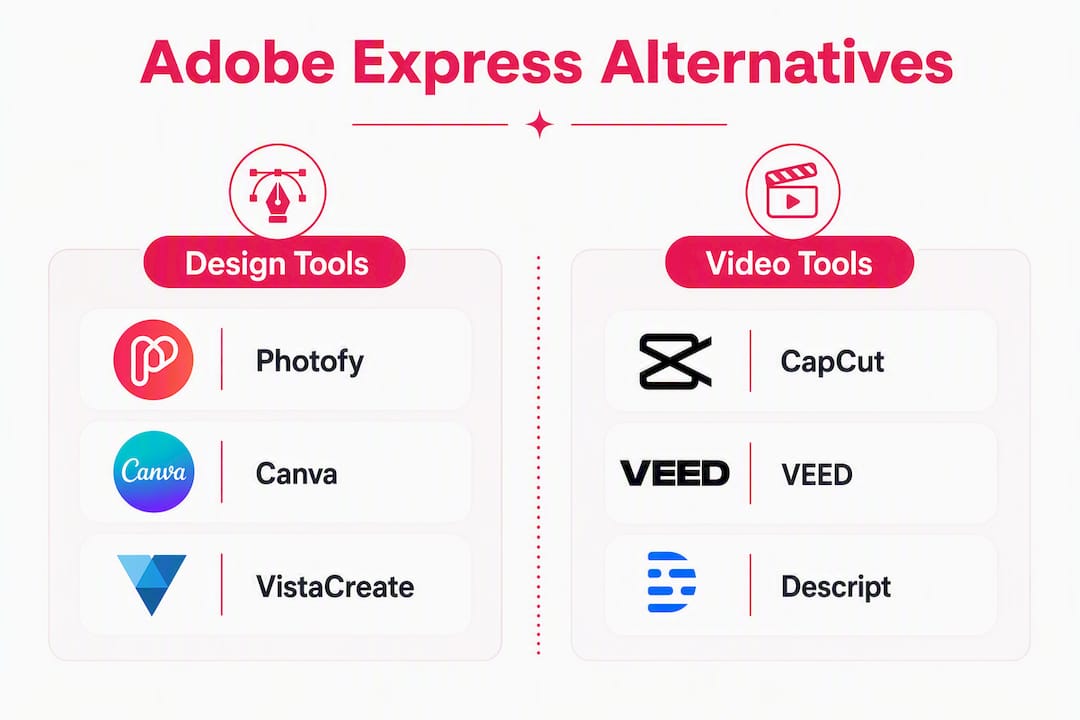
Here is the shortlist by role, so you can go straight to the right trial:
- Social marketing teams and franchises: Photofy — branded templates, scheduling, white-label, and multi-channel publishing in one place.
- Design-first workspace: Canva — the most direct like-for-like swap for teams that want a large template library and light video in one browser tab.
- Video-first editor: Descript or VEED — built for scripted, narrated, or captioned video that Adobe Express handles poorly.
- Open-source toolset: GIMP and Photopea — free and capable, but you trade template libraries and AI generation for control and cost savings.
- Mobile-first short-form clips: CapCut — the fastest path from phone footage to a finished short-form post.
- Infographics and data visuals: Visme or Venngage — purpose-built for charts, reports, and interactive presentations that generalist editors do not handle well.
The right choice depends on what you make, not just what features a tool lists. Market roundups consistently categorize alternatives by use-case rather than declaring one universal winner, and that framing holds here too.
Table of Contents
- How do the top Adobe Express alternatives compare at a glance?
- Why do teams move off Adobe Express?
- Which tool fits your use-case best?
- Mini reviews: Photofy and the top alternatives
- How do you choose the right alternative to Adobe Express?
- How we evaluated these tools
- Why Photofy stands out for social marketing teams
- What should you try first? A 30-minute test plan
- Trial and refund policies
- Key Takeaways
- The tool switch most teams get wrong
- Photofy gives social teams a real advantage over generic design tools
- Useful sources and further reading
How do the top Adobe Express alternatives compare at a glance?
The table below covers the major decision drivers: what each tool is best for, how its pricing is shaped, which platforms it runs on, and whether it supports team collaboration.
| Tool | Best for | Free plan | Core features | Platform | Collaboration |
|---|---|---|---|---|---|
| Photofy | Social teams, franchises, enterprise | Yes (personal) | Templates, asset library, video stitching, scheduling, white-label | Web, iOS, Android | Brand kit, team seats, white-label |
| Canva | Design + light video, general teams | Yes | Huge template library, AI generation, basic video | Web, Mac, Windows, iOS, Android | Team workspaces, brand kit (paid) |
| Photopea | Photo editing, Photoshop-style work | Yes (ad-supported) | PSD/AI/XCF support, layers, filters | Web only | None |
| GIMP | Open-source image editing | Free (open-source) | Full raster editing, scripting, plugins | Mac, Windows, Linux | None |
| Visme | Interactive presentations, data viz | Yes (limited) | Charts, interactives, brand kit, video | Web, iOS, Android | Team folders, brand controls |
| Venngage | Infographics, reports | Yes (limited) | Infographic templates, data widgets | Web | Team sharing (paid) |
| CapCut | Short-form mobile video | Yes | Auto-captions, templates, effects | Web, iOS, Android | Basic team features |
| Clipchamp | Windows-native quick video | Yes (Microsoft 365) | Timeline editor, stock footage, transitions | Web, Windows | Microsoft 365 integration |
| VEED | Social video with captions | Yes (watermarked) | Auto-subtitles, transcript edit, screen record | Web | Team workspaces |
| Descript | Scripted/narrated video, podcasts | Yes (limited) | Transcript-based edit, AI voice, overdub | Web, Mac, Windows | Team projects |
| InVideo | AI-assisted video from text | Yes (watermarked) | Script-to-video, stock footage, voiceover | Web | Team collaboration |
| PicMonkey | Photo editing + social graphics | Yes (limited) | Touch-up tools, templates, brand kit | Web, iOS, Android | Team hubs (paid) |
| VistaCreate | Social graphics, seasonal content | Yes | 150,000+ templates, animation, brand kit | Web, iOS, Android | Team brand kit |
What free plans typically include: basic templates, limited exports, and personal use. The triggers that push teams to paid tiers are almost always the same: brand kit access, team seat management, removing watermarks on exports, and higher storage or output limits.
Platform availability at a glance:
- Web only: Photopea, Venngage (primary), VEED
- Web + mobile (iOS/Android): Photofy, Canva, Visme, CapCut, VistaCreate, PicMonkey
- Web + desktop app: Descript (Mac/Windows), Clipchamp (Windows), GIMP (Mac/Windows/Linux)
Why do teams move off Adobe Express?
Adobe Express handles quick social graphics and simple branded templates well. Where it starts to fall short is when your content needs grow beyond that lane.
The most common gaps teams report:
- No script-to-video workflow. Express lets you trim clips and add text overlays, but it does not support scripted voiceovers, storyboard planning, or transcript-based editing. Teams producing narrated video hit a workflow wall fast.
- Limited multi-size output. Resizing a design for Instagram, LinkedIn, and a Facebook cover in one click is not a strength of Express. Tools built for multi-channel publishing handle this more efficiently.
- Weak brand controls for teams. Brand kits exist in Express, but seat management, role permissions, and white-label content distribution are not part of the product. Franchises and multi-location brands feel this gap immediately.
- No scheduling or publishing. Express is a creation tool only. You need a separate platform to schedule and post, which adds friction to any team workflow.
- Advanced video is out of scope. Auto-subtitles, AI voiceover, and transcript-based editing are features Express does not offer.
Pros of keeping Adobe Express for specific tasks:
- Clean, fast interface for one-off graphics
- Strong integration with the broader Adobe ecosystem (Photoshop, Illustrator files)
- Solid free tier for individual creators
- Reliable brand font and color application on simple assets
Cons that push teams to look elsewhere:
- No publishing or scheduling built in
- Video capabilities stop well short of finished, narrated content
- Team and brand controls are limited compared to dedicated social platforms
- Adobe Express is no longer distributed through TechSoup, which affects nonprofits and organizations that relied on that channel
Quick decision guide: If you primarily make static social graphics and already use Adobe Creative Cloud, Express may still earn its place in your stack. If you need finished video, team brand controls, scheduling, or multi-location content distribution, you need a different tool as your primary platform.
Pro Tip: Before switching entirely, spend 20 minutes listing the three content types you produce most. If two of those three require features Express does not have, that is your signal to move your primary workflow to an alternative and keep Express only for Adobe-ecosystem tasks.
Which tool fits your use-case best?
The content you produce should drive the tool you choose. Here is a ranked match by common use-case:
-
Branded social graphics for a team or franchise. Photofy is the strongest fit. Templates, a curated asset library, scheduling, and white-label controls are built for exactly this workflow. Solo creators can start on the personal plan; larger organizations should look at enterprise options.
-
General design plus light video in one workspace. Canva covers this well. Its template library is extensive, and the free tier is genuinely usable for single creators. Brand kit and team seats require a paid plan.
-
Finished narrated or scripted video. Descript or VEED. Both offer transcript-based editing and auto-subtitle workflows that speed up social video production significantly. Descript adds AI voice and overdub for polished narration.
-
Short-form mobile clips (Reels, TikTok, Shorts). CapCut. The mobile-first interface, auto-caption tools, and trending template library make it the fastest path from raw footage to a finished short-form post.
-
Infographics, data reports, and interactive presentations. Visme or Venngage. These tools are purpose-built for data visualization and outperform generalist editors on charts, widgets, and interactive embeds.
-
Open-source image editing without subscription costs. GIMP for raster editing, Photopea for browser-based Photoshop-style work. Both are free, but you trade template libraries and AI-assisted generation for control and cost savings. Expect a steeper learning curve.
-
AI-assisted video from a text prompt or script. InVideo. Its script-to-video workflow is one of the more accessible entry points for teams that want to produce video content without a dedicated editor.
Free vs. paid reality check: Free tiers work for solo creators testing a tool or producing occasional content. Once you need a brand kit, team seats, watermark-free exports, or scheduling, a paid plan is necessary. Budget roughly $10–$20 per month for a small-team plan on most of these platforms.
Crossover note: Many marketing teams end up running two tools in parallel: a design-first platform for static graphics and a video-first editor for finished video content. That combination is common and often more cost-effective than forcing one tool to do both jobs poorly.

Mini reviews: Photofy and the top alternatives
Photofy
Photofy is built for social marketing teams, not just individual designers. The platform gives you pre-designed templates, a curated stock asset library, video stitching, graphic and text overlays, scheduling, and analytics in one place. For franchises and multi-location brands, the white-label content management feature lets you push branded assets to an entire network while maintaining consistency across every location.
Strengths: Scheduling and publishing built in, white-label controls for enterprise, mobile-first (iOS and Android) plus desktop, templates designed for social formats, brand kit management for teams.
Where it fits less well: If your primary output is long-form narrated video or Photoshop-level image retouching, you will want a specialist tool alongside it.
Who it’s for: Social marketing teams, direct selling brands, franchises, and enterprise organizations that need consistent branded content at scale.
Pricing: Freemium model with a personal free tier; paid plans for small business; enterprise and franchise plans via direct inquiry.
Canva
Canva is the most direct like-for-like swap for Adobe Express users. Its template library is enormous, the drag-and-drop interface is familiar, and it handles both static graphics and light video in one workspace. The free tier is genuinely useful for individuals, though brand kit access and team collaboration require a paid subscription.

Pros: Massive template library, strong AI generation tools, available on every major platform, active community of designers sharing assets.
Cons: Brand kit and team seats locked behind paid plans, video editing is light rather than production-grade, can feel cluttered at scale.
Who it’s for: Individuals and small teams wanting a single workspace for graphics and basic video.
Pricing: Free tier available; paid plans start at a monthly per-seat rate.
Photopea
Photopea runs entirely in a browser and opens PSD, AI, and XCF files without any software installation. For teams that need to edit layered Photoshop files without an Adobe subscription, it fills that gap effectively. The interface mirrors Photoshop closely enough that experienced designers adapt quickly.
Pros: Free, browser-based, handles complex layered files, no installation required.
Cons: Ad-supported on the free tier, no template library, no AI generation, no mobile app, no collaboration features.
Who it’s for: Designers who need Photoshop-style editing without the subscription cost.
Pricing: Free (ad-supported); a paid plan removes ads.
GIMP
GIMP is the standard open-source raster image editor. It handles photo retouching, compositing, and custom graphic work at a level that matches many paid tools. The trade-off is time: open-source toolchains like GIMP require mixing multiple tools and accepting a steeper learning curve compared to template-driven platforms.
Pros: Completely free, powerful scripting and plugin ecosystem, cross-platform (Mac, Windows, Linux).
Cons: No templates, no AI generation, no cloud storage, interface is dated and takes time to learn.
Who it’s for: Designers and developers who prioritize control and cost over speed.
Pricing: Free and open-source.
Visme
Visme sits between a presentation builder and a data visualization tool. It handles interactive charts, branded reports, and short videos alongside standard social graphics. The brand kit and team folder features make it practical for marketing teams that produce a mix of content types.
Pros: Strong data visualization, interactive content options, brand kit on paid plans, available on web and mobile.
Cons: Free tier is limited in exports and storage, video features are secondary to design, pricing steps up quickly for team features.
Who it’s for: Marketing teams that produce presentations, reports, and infographics alongside social content.
Pricing: Free tier available; paid plans required for brand kit and team access.
Venngage
Venngage is purpose-built for infographics. Its template library skews heavily toward data-driven visuals: charts, timelines, comparison graphics, and reports. If infographics are a regular part of your content mix, Venngage outperforms generalist editors on that specific output.
Pros: Deep infographic template library, data widget integrations, clean export options.
Cons: Limited outside the infographic category, free tier restricts downloads, collaboration requires a paid plan.
Who it’s for: Content marketers and communications teams that produce regular infographic content.
Pricing: Free tier with limited downloads; paid plans for full export and team sharing.
CapCut
CapCut is the fastest mobile-first video editor for short-form content. Auto-captions, trending templates, and an intuitive timeline make it the go-to for Reels, TikToks, and Shorts. The desktop version extends its reach, but the mobile experience is where it genuinely excels.
Pros: Fast auto-caption generation, large library of trending templates and effects, free tier is generous.
Cons: Brand control features are minimal, not suited for long-form or narrated video, team features are basic.
Who it’s for: Individual creators and social media managers focused on short-form video.
Pricing: Free with in-app purchases; CapCut for Teams available at a monthly rate.
Clipchamp
Clipchamp is Microsoft’s browser-based video editor, included with Microsoft 365. For Windows users already in the Microsoft ecosystem, it is a practical no-cost option for quick video edits, screen recordings, and simple social clips.
Pros: Included with Microsoft 365, clean timeline interface, stock footage and audio library, no watermark on exports.
Cons: Limited advanced features, primarily Windows-focused, no mobile app, minimal brand controls.
Who it’s for: Microsoft 365 users who need a quick video editor without adding another subscription.
Pricing: Free with Microsoft 365; standalone free tier available.
VEED
VEED centers its workflow on transcript-based editing and auto-subtitles, which makes it particularly efficient for social video teams that publish captioned content regularly. You can edit a video by editing its transcript, which cuts revision time significantly.
Pros: Auto-subtitle generation, transcript-based editing, screen recording, team workspaces.
Cons: Free tier adds a watermark to exports, advanced features require a paid plan, not suited for complex multi-track editing.
Who it’s for: Social video teams that prioritize captioned content and fast turnaround.
Pricing: Free tier with watermark; paid plans remove watermark and unlock team features.
Descript
Descript approaches video editing like a document editor. You edit the transcript and the video follows. AI voice cloning, overdub, and screen recording make it the strongest option for teams producing scripted, narrated content like tutorials, explainers, or branded video series.
Pros: Transcript-based editing, AI voice and overdub, strong podcast and video workflow, Mac and Windows apps.
Cons: Learning curve for users unfamiliar with transcript-based editing, pricing steps up for AI features, not ideal for short-form clip creation.
Who it’s for: Teams producing scripted video, podcasts, or narrated explainer content.
Pricing: Free tier with limited transcription hours; paid plans for full AI features and team collaboration.
InVideo
InVideo generates video from a text script, pulling in stock footage, voiceover, and captions automatically. For teams that want to produce video content without a dedicated editor, it lowers the barrier considerably. Some browser-first editors in this category offer free AI editing that exports without a watermark, which matters when you are testing a campaign on a limited budget.
Pros: Script-to-video generation, large stock footage library, AI voiceover, accessible for non-editors.
Cons: AI-generated output can feel generic without customization, free tier adds watermark, advanced brand controls are limited.
Who it’s for: Marketers who want to produce video content quickly without video editing experience.
Pricing: Free tier with watermark; paid plans for watermark-free exports and AI features.
PicMonkey
PicMonkey combines photo editing with social graphic templates. Its touch-up tools are stronger than most template-driven editors, making it a practical choice for brands that work heavily with photography alongside designed graphics.
Pros: Strong photo touch-up tools, template library for social formats, brand kit on paid plans, mobile app available.
Cons: Free tier is very limited, video features are minimal, pricing is higher than some comparable tools.
Who it’s for: Brands that blend photography and graphic design in their social content.
Pricing: Free trial; paid plans required for most features.
VistaCreate
VistaCreate (formerly Crello) offers a large template library with strong seasonal and promotional content. Its animation tools and brand kit make it a solid option for small businesses that produce regular promotional graphics.
Pros: 150,000+ templates, animation support, brand kit, available on web and mobile.
Cons: Video editing is limited, team features require a paid plan, less known than Canva so community resources are thinner.
Who it’s for: Small businesses and solo marketers producing regular promotional and seasonal content.
Pricing: Free tier available; paid plan for brand kit and team features.
Pro Tip: When evaluating any of these tools, build one real asset during your trial rather than clicking through features. Import your brand colors and logo, create a post at your target dimensions, and export it. That 15-minute test reveals more about real-world fit than any feature comparison.
How do you choose the right alternative to Adobe Express?
The right tool is the one that fits your actual workflow, not the one with the longest feature list. Work through this checklist during any free trial.
During your trial, verify these five things:
- Brand kit import. Can you upload your logo, set brand colors, and apply brand fonts without a paid plan? If brand controls require an upgrade, factor that cost in from day one.
- Export quality and file types. Export your test asset at the resolution you actually publish at (1080×1080 for Instagram, 1920×1080 for video). Check for watermarks, compression artifacts, and whether PNG, MP4, and PDF are available.
- Template relevance. Browse templates in your content category. A large library is only useful if it includes formats that match your industry and output type.
- Video timeline control. If you produce video, test the timeline: can you trim clips precisely, add captions, and control audio levels? Light video tools will hit a ceiling quickly on anything beyond a 60-second clip.
- Team permissions. Invite one colleague during the trial. Check whether you can assign roles, restrict template editing, and manage brand assets centrally.
Questions to ask before committing:
- What is the refund policy if you cancel within the first billing cycle?
- How are seat limits enforced, and what happens if you exceed them?
- What are the storage limits per plan, and do exports count against storage?
- Is the tool available in the regions where your team works?
Red flags to watch for:
- No watermark-free export on any free tier (limits real-world testing)
- No brand kit or color controls without a significant paid upgrade
- No team roles or permission levels (a problem for any multi-person workflow)
- Poor or absent mobile support when your team creates content on the go
- No clear refund or cancellation policy listed on the pricing page
Expected pricing by use-case:
- Solo creator / hobby use: Free tiers on most tools cover basic needs. Paid plans typically start at $10–$15 per month.
- Small team (2–5 seats): Expect $20–$50 per month for brand kit, team seats, and watermark-free exports.
- Enterprise / franchise: Custom pricing; white-label and seat management features are almost always quote-based.
How we evaluated these tools
Every tool in this article was assessed against the same set of criteria, applied consistently across the shortlist.
Evaluation criteria:
- Feature completeness: Templates, AI generation, video editing depth, brand kit, scheduling, and export options.
- Free-tier practicality: Whether the free plan is genuinely usable for real work or functions primarily as a demo.
- Team and brand features: Seat management, role permissions, brand kit controls, and white-label options.
- Integrations: Compatibility with social platforms, Microsoft 365, and common marketing stacks.
- Ease of use: Time from sign-up to first completed asset, interface clarity, and mobile experience.
- Export quality: Resolution options, file type availability, and watermark behavior.
Test types used: Building a real social graphic from a template, editing a short video clip, testing team invite and permission flows, and exporting assets at standard social resolutions.
Date of last check: June 2026. Pricing, free-tier limits, and feature availability change frequently. Verify current details directly on each tool’s pricing page before committing to a plan.
Why Photofy stands out for social marketing teams
Photofy is not a general-purpose design tool. It is built specifically for the workflows that social marketing teams, franchises, and direct selling brands run every day: creating on-brand content at volume, distributing it across multiple channels, and maintaining brand consistency across a large network of users.
The platform’s core capabilities align directly with those needs:
- Pre-designed and custom templates for social formats across platforms
- Curated stock asset library so teams are not hunting for images outside the platform
- Video stitching and overlay tools for quick social video without a separate editor
- Built-in scheduling and analytics so creation and publishing happen in one workflow
- White-label content management for enterprise clients and franchise networks that need to push branded assets to hundreds of locations
For a franchise network, that white-label capability is particularly significant. A brand like Keller Williams can distribute templated, locally customizable content to agents across the country while maintaining brand standards centrally. That is a workflow Adobe Express does not support.
Pro Tip: If you manage content for multiple locations or a direct selling network, use Photofy’s content calendar tools to plan your posting schedule alongside your asset creation. Keeping both in one platform cuts the coordination time that comes from juggling a design tool and a separate scheduler.
For teams evaluating social media content calendars and multi-channel publishing, Photofy’s scheduling layer is one of the clearest differentiators from tools that stop at export.
What should you try first? A 30-minute test plan
Here is the recommended starting point based on your role:
- Social marketing team or franchise: Start with Photofy. The combination of templates, scheduling, and brand controls is purpose-built for your workflow.
- Video-first content producer: Start with Descript or VEED. Both offer transcript-based editing that will immediately show you whether that workflow fits how you think about video.
- Short-form mobile creator: Start with CapCut. Download the app, import a clip, and have a finished post in under 10 minutes.
Your 30-minute trial script:
- Sign up and import your brand logo and colors (5 minutes).
- Find a template in your primary content category and customize it with your brand assets (10 minutes).
- Export the finished asset at your target resolution and check the file quality (5 minutes).
- Invite one teammate and test whether you can share the asset or assign editing access (5 minutes).
- If the tool includes video, trim a 30-second clip and add a caption (5 minutes).
If you hit a wall on any of those five steps during a free trial, that is useful information. The right tool should get you through all five without requiring a paid upgrade just to test the basics.
For next steps, review Photofy’s pricing page to match a plan to your team size, or visit the personal plan if you are starting as a solo creator.
Trial and refund policies
Most tools in this category follow a freemium model, which means you can test core features without entering payment details. Paid plan trials, where they exist, typically run 7–14 days. Refund policies vary significantly.
Canva, Visme, and VistaCreate offer free tiers that are genuinely functional for solo use, so you can evaluate the tool before any payment decision. VEED and InVideo offer free tiers but add watermarks to exports, which limits real-world testing. Descript’s free tier includes limited transcription hours before requiring an upgrade.
For paid plans, most SaaS tools in this space do not offer automatic refunds after the first billing cycle. The practical approach is to use the free tier fully before upgrading, and to check the cancellation policy on the pricing page before entering payment details. Annual plans typically offer a lower monthly rate but reduce flexibility if you switch tools mid-year.
Photofy’s enterprise and franchise plans are sold via direct inquiry, so pricing and trial terms are negotiated based on team size and requirements. For individual and small business plans, the freemium tier lets you evaluate the platform before committing.
Key Takeaways
Photofy is a leading Adobe Express alternative for social marketing teams that need branded templates, scheduling, and white-label controls in a single platform.
| Point | Details |
|---|---|
| Match tool to output type | Design-first tools suit graphics; video-first tools suit scripted or narrated content. |
| Free tiers have real limits | Brand kits, team seats, and watermark-free exports almost always require a paid plan. |
| Run a 30-minute real test | Import brand assets, build one post, export it, and invite a teammate before committing. |
| Watch for red flags | No watermark-free export, no brand controls, and no team roles are signals to keep looking. |
| Photofy for teams and franchises | Photofy’s scheduling, white-label tools, and asset library make it the recommended pick for social marketing teams. |
The tool switch most teams get wrong
The most common mistake when moving off Adobe Express is choosing a replacement based on the feature list rather than the output type. A team that primarily produces scripted video will not be well served by a design-first tool, no matter how polished its interface is. And a franchise network that needs to push branded content to 200 locations will outgrow a solo-focused design tool within weeks.
The second mistake is underestimating the migration cost. Switching platforms is not just about learning a new interface. It means rebuilding your brand kit, re-templating your most-used formats, and retraining your team. That investment is worth making once, for the right tool. Making it twice because the first switch was based on a feature comparison rather than a workflow test is avoidable.
The practical approach is to pick one campaign, rebuild it in the candidate tool during a focused trial, and evaluate how the workflow actually felt. Did you hit walls? Did the export look right? Did your teammate find it intuitive? Those answers matter more than any feature checklist.
One combination that works well for multi-format campaigns: use a social marketing platform like Photofy for branded graphics, scheduling, and team distribution, and pair it with a video-first editor for any scripted or narrated content. That split keeps each tool in its strongest lane and avoids forcing one platform to do a job it was not designed for. Pairing visual storytelling principles with the right tool for each format is what separates content that performs from content that just gets posted.
Photofy gives social teams a real advantage over generic design tools
Most Adobe Express alternatives solve one part of the content problem. Photofy solves the whole social marketing workflow: create branded content, manage it across a team or franchise network, schedule it, and track performance, all without switching platforms. For a small business owner, that means less time coordinating tools and more time on the work that drives results. For an enterprise brand or franchise, it means consistent, on-brand content distributed at scale with white-label controls that protect brand integrity.

The difference is most visible when you compare the workflow, not just the feature list. A social media manager using Photofy can go from a blank template to a scheduled post without leaving the platform. That same manager using a design-only tool still needs a separate scheduler, a separate asset library, and a separate approval workflow.
If you are a solo creator or freelancer, start with the personal plan to explore templates and the asset library. Small business teams should review the full pricing page to match a plan to their seat count and publishing volume. Enterprise brands and franchise networks can explore white-label and enterprise options to see how Photofy supports large-scale branded content distribution.
Useful sources and further reading
Last checked: June 2026. Pricing and feature details change frequently — verify directly with each tool before committing.
- Adobe Express Alternatives: 7 Tools Worth Trying (2026) — ngram: Covers video-first vs design-first trade-offs and free-tier export behavior across several alternatives.
- The Best Adobe Express Alternatives — TechSmith: Focuses on category-specific picks, particularly Venngage for infographics and Visme for interactive presentations.
- 17 Best Adobe Express Alternatives and Competitors in 2025 — TechBooky: Broad roundup organized by use-case rather than a single winner; useful for understanding the full market.
- Open Source Alternatives for Adobe Express — XDA-Developers: Covers GIMP, Inkscape, and Photopea with honest notes on learning curve and template trade-offs.
- Adobe Express No Longer Available on TechSoup: Official support note on the distribution change affecting nonprofits and TechSoup users.
- Visme Reviews — G2: User reviews covering real-world use of Visme’s data visualization and presentation features.
- Canva Reviews — G2: Aggregated user feedback on Canva’s template library, team features, and pricing tiers.
- VistaCreate Reviews — G2: User ratings and feature feedback for VistaCreate’s template and animation tools.