
Brand Template Library: What It Is and How to Build One
A brand template library is a shared, organized set of ready-to-use designs where the logo, colors, fonts and layout are already set, so anyone on your team can add their own content and publish something that looks like your brand. If you run a small business, a franchise, a direct selling company or a dealer network, it is the fastest way to stop one brand from turning into ten. Photofy puts this library on iOS, Android and desktop, with pre-designed and custom templates, a stock asset library and white-label content management for teams.
TL;DR
- A brand template library is more than a style guide: it turns your rules into finished, editable designs people can use in minutes.
- Lock what must never change (logo, color, type, layout) and leave open what should (photos, copy, offers, local details).
- Build for every recurring deliverable: social posts, video, PDFs, flyers, decks.
- Governance matters as much as design: name an owner, set approvals, and archive old versions.
- Photofy gives individuals, small businesses, franchises and enterprises one place to create, share and manage branded content.
Table of Contents
- What is a brand template library?
- Why do small teams and distributed networks need one?
- What should a brand template library include?
- How do you build one step by step?
- How should you organize and update the library?
- How do franchises, direct sellers and dealers share approved content?
- What should you look for when choosing a brand template library?
- Perspective: why we build around the library
- What does it cost to get started?
- FAQ
- Sources
What is a brand template library?
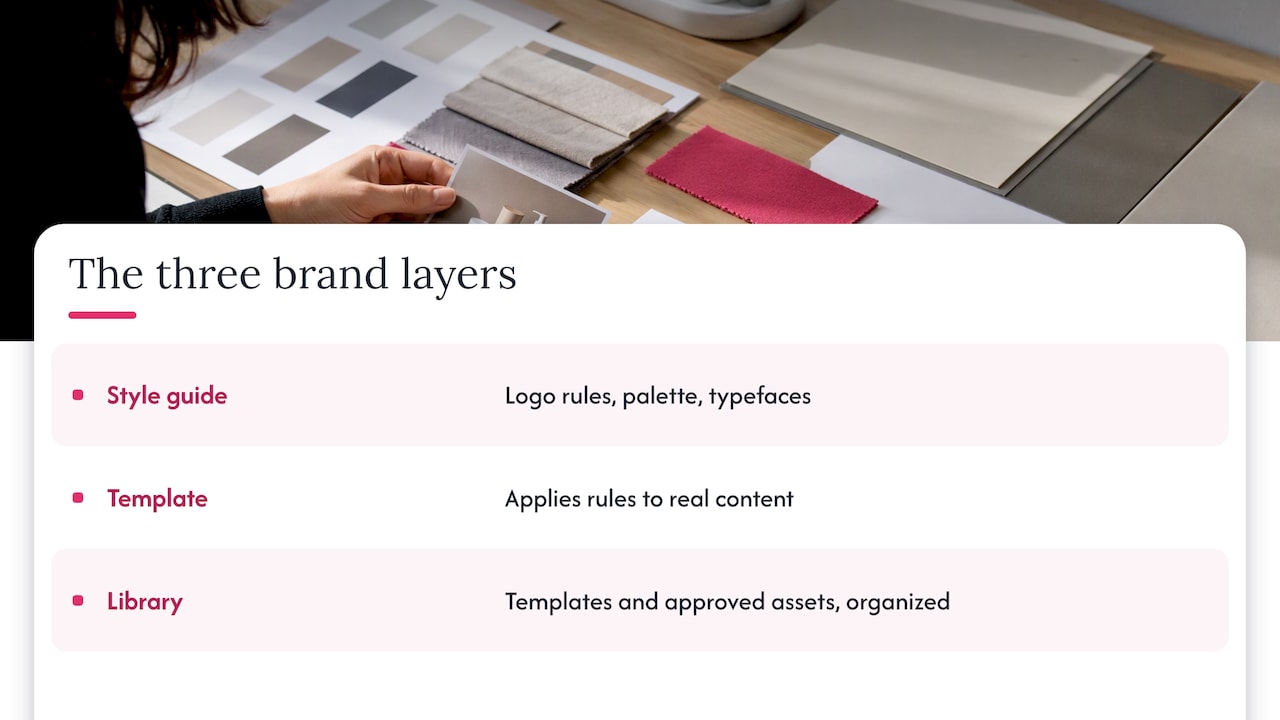
Think of three layers. A style guide describes what your brand looks like: logo rules, palette, typefaces. A template applies those rules to a real piece of content, such as an Instagram post or a one-page flyer. A library is the organized collection of those templates, plus the photos, graphics and approved files that go with them, kept where your team can find them.
A well-built template encodes logo placement and clear space, the color palette, approved typefaces, layout grids and imagery rules, which makes correct execution the easiest path for whoever is using it. That is the real value. Nobody has to remember that the logo needs breathing room or which blue is the right blue. The template already knows.
A style guide on its own asks people to read, remember and interpret. A library asks them to pick a template and type. For a team of one that is a time saver. For a team of fifty or five hundred it is how brand control actually happens.
Why do small teams and distributed networks need one?
Once three or four people start making posts, a brand can begin to look like three or four brands. The same thing happens when you hand work to a freelancer, add a new location, or give a sales team permission to post for the company.
The pattern is familiar across the audiences we work with:
- Small business owners need posts that look professional without hiring a designer for every promotion.
- Freelancers need a recognizable look for their own presence, fast.
- Marketers want repeatable formats so content production does not start from a blank canvas every week.
- Direct selling companies and franchises need thousands of independent reps or owners to post under one brand.
- Car manufacturers and dealers need to put approved photos, videos and PDFs in the hands of the sales floor.
In each case the problem is the same: more people creating means more variation. A library puts the variation where you want it, in the message and the local detail, and removes it where you do not, in the brand itself.
What should a brand template library include?
Start with every deliverable your team produces more than a few times a year. A good component library covers pitch decks, proposals, social posts, email campaigns, print, signage and packaging, and for each one it defines what is fixed (layout, typography, color) and what is customizable (content, imagery, data).
For most of our readers, the working list looks like this:
| Asset type | Locked | Open to edit |
|---|---|---|
| Social post (square, portrait, story) | Logo position, palette, fonts, frame | Photo, headline, offer, call to action |
| Short video | Intro and outro, text style, logo overlay | Clips, captions, sequence |
| Promotional flyer or PDF | Grid, header, footer, legal line | Product, price, contact details |
| Announcement or seasonal graphic | Layout and brand elements | Dates, locations, local photography |
| Team or rep profile graphic | Frame, name styling, logo | Headshot, name, title |
How many templates is enough?
Fewer than you think. The guidance on brand templates favors the fewest templates doing the most work: one well-built brochure template can serve an annual report, a capabilities deck, a product sheet and a partner brief. Start with five to ten templates for your most frequent needs and add more when you see people working around the library.
What about colors and fonts?
Your palette is the first thing people notice and the first thing that drifts. Define exact values, decide which colors are for backgrounds and which are for emphasis, and build those choices into the templates so nobody has to choose. If you want to think through what your colors communicate, this overview of the psychology of colors in marketing is a good place to start.
Do photos belong in the library?
Yes. Templates work best alongside approved imagery, logos and graphics, so people are not hunting through personal folders or pulling random pictures. Photofy includes a stock asset library alongside its templates, and its graphic and text overlays let users add their own message on top of approved photography. For more on this approach, see how photography templates support brand consistency.
How do you build one step by step?
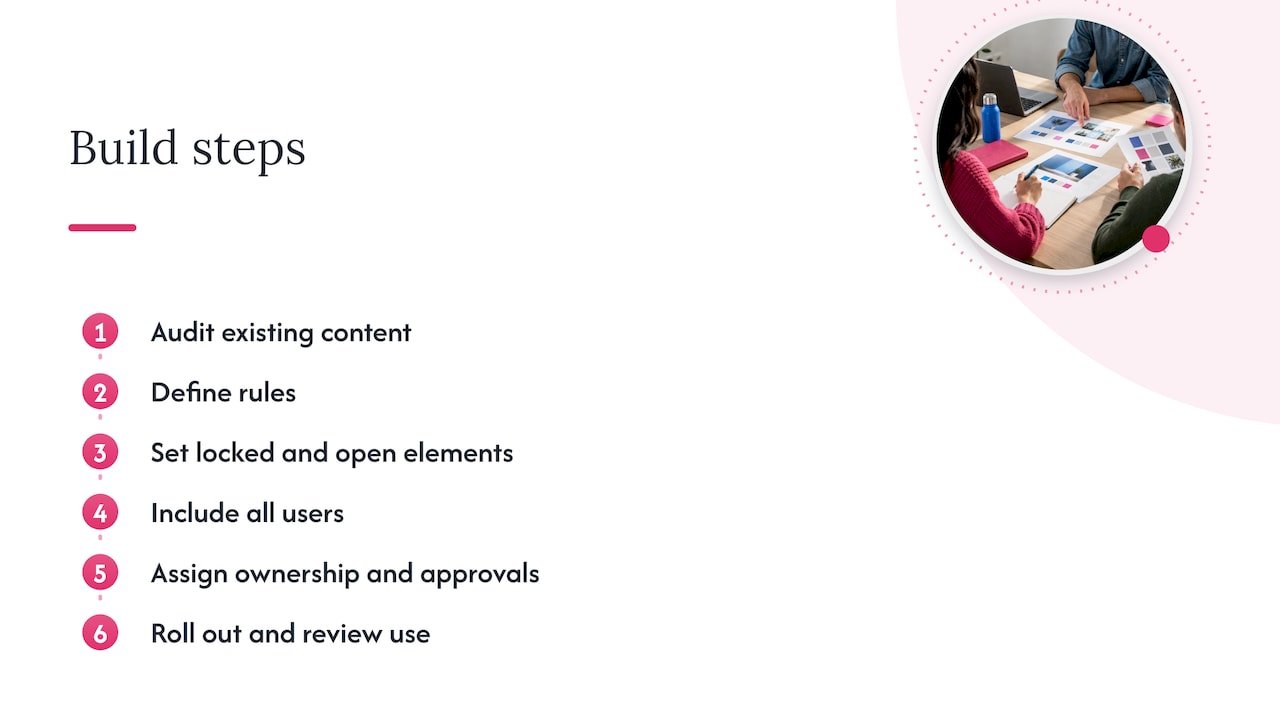
1. Audit what you already publish
Gather the last three months of posts, flyers, decks and emails. Sort them by type and note which ones were repeated most. Those repeats are your first templates. Note the places where the look drifted too: wrong logo version, off-palette colors, stretched images.
2. Write down the rules that matter
You do not need a 60-page brand book. You need the rules that templates will enforce: logo versions and clear space, colors, fonts, how text sits on photos, and what imagery is on or off brand. Keep it short enough that people will read it.
3. Decide what is locked and what is open
For each template, mark the elements nobody should change and the ones people must change. Too much locked and the template is useless for local use. Too much open and it stops protecting the brand. A dealer needs to change the vehicle, price and phone number. They should not be changing the logo.
4. Build for every user, not just marketing
Marketing teams often treat templates as their own territory, but a single template can serve sales, HR, operations and finance, each with different content needs and approval processes. Templates built without input from the full range of users tend to fail in practice. Ask a few of the people who will actually use them what they make each week.
5. Name an owner and set approvals
Someone needs to own the library. That person decides what gets added, retires old versions and handles requests that do not fit. For networks, decide which content publishes freely and which goes through review. Photofy combines branded content creation, team approvals, asset management and automated publishing in one platform, so these steps live together rather than in email threads.
6. Roll it out and check use
Share the library with a small group first, collect feedback, then expand. Track which templates get used and which are ignored. Retire the ignored ones or fix them.
For a deeper walkthrough of the governance side, our guides on template management for teams and building a brand governance framework lay out a 90-day plan.
How should you organize and update the library?
Structure is what keeps a library usable after the first month. One practical governance framework suggests numbered folders, such as Brand Masters, Approved Exports, Templates, Campaigns and Archive, with a read-me file naming the brand owner, the last review date and the guideline version.
A few habits make the biggest difference:
- Name files consistently. Include the asset type, format and version so search works.
- Tag by use. Campaign, channel, product line and region help people find the right template quickly.
- Archive, do not delete. Keep retired versions out of sight but available for reference.
- Document exceptions. The same framework treats an exception as a decision to record, with the reason, channel, owner and expiration date, rather than a permission people repeat informally.
- Review on a schedule. A quarterly look at what is used, what is outdated and what is missing keeps the library current.
If you are starting with images and video, the metadata-first social media asset library setup shows how to tag and structure assets from day one.
How do franchises, direct sellers and dealers share approved content?
The challenge is scale. A franchisor, a direct selling company or an automaker cannot review every post, and local owners and reps do not want to wait for a designer. The answer is to give them finished templates with the brand locked and the local details open.
- Franchises share seasonal and promotional templates that each location customizes with its own photos, hours and offers. Our guide to localizable social templates covers how to build and share them.
- Direct selling companies give independent consultants compliant, ready-to-post content that reflects the brand while letting them add a personal voice.
- Car manufacturers and dealers distribute photo, video and PDF assets to sales teams so every salesperson posts approved material. See what dealer marketing assets to build, share and track.
- Enterprises unify content management across departments and regions, with white-label options so the platform carries their own brand.
The common thread is that people create faster when the brand decisions are already made. That also makes it easier to see what is being used and what is performing.
What should you look for when choosing a brand template library?
Whatever you choose, test it against how your people really work:
- Works on the devices your team uses. Reps and dealers often post from a phone. Photofy is available on iOS, Android and desktop.
- Covers your formats. Photos, video and PDFs, not just a single social size.
- Lets you lock and customize. You need both brand control and local flexibility.
- Includes approvals and asset management. Control should not depend on emails.
- Supports publishing and measurement. Scheduling and analytics close the loop between creating and results.
- Scales from one user to a network. Your plan should grow with you, including white-label options for enterprises.
Perspective: why we build around the library
We built Photofy around a simple belief: the people closest to your customers should not have to choose between speed and staying on brand.
A style guide tells a local rep what is right. A template library lets them do it in a couple of minutes. When creation, approvals, asset management and publishing sit in one platform, brand control stops being a bottleneck and becomes the way the work gets done.
That is why we offer industry-specific template libraries and white-labeling: your network gets consistency with room for local customization, and you get content that is yours from the first tap.
Jon
What does it cost to get started?
Photofy has a free tier for personal use, and paid plans for businesses and teams. Published pricing on our site includes:
| Plan | Price |
|---|---|
| Small Business | $10.99 per month or $99 per year |
| Individual Plans | $11.95 per month, $29.97 per quarter or $99.95 per year |
| Pro Teams | $13.00 per user per month |
| Enterprise Teams | $9.00 per user per month |
Franchise and enterprise solutions, including white-label content management, are set up through direct inquiry. Prices were read from our site in September 2026, so check the pages for the current numbers.
If you run a small business, start with the Small Business plan. If you want to compare options for individuals and teams, see the Individual Plans, or visit our pricing page for Enterprise.
Ready to put your brand in every team member’s hands? Explore Photofy at photofy.com and build your first branded templates today.
FAQ
What is the difference between a brand style guide and a brand template library?
A style guide describes how your brand should look. A template library applies those rules to ready-to-edit designs, so people can create on-brand content without interpreting the guide. Most teams need both, with the library doing the daily work.
How many templates should I start with?
Five to ten is a solid start, covering your most frequent posts, promotions and documents. Well-built templates can cover many uses, so add new ones only when a real need appears.
Can a freelancer or a one-person business use a template library?
Yes. A library gives you a recognizable look across every post and saves time on each one. Photofy offers a free tier for personal use and a Small Business plan at $10.99 per month for growing businesses.
How do I keep local teams from changing the brand?
Lock the logo, colors, fonts and layout in each template, and leave only the content open: photo, copy, offer and contact details. Add approvals for anything that needs review, and keep a record of any approved exception.
Does the library work for video and PDFs?
It should. Photofy supports photo, video and PDF content, with video stitching and graphic and text overlays, so teams such as dealers and franchise owners can share more than static posts.
Sources
- What Are Brand Templates & Why They Matter? | TenTen Group
- What Goes in a Brand Guidelines Template | TISSA Consulting
- Brand Governance Framework for Growing Teams
- Keep Everything On Brand With Templates Your Team Can Use