
Best RecurPost Alternatives for Social Media Managers in 2026
If you manage multiple social profiles and RecurPost’s evergreen library model no longer fits your workflow, the strongest categories to test first are per-channel priced schedulers for lean teams, agency all-in-one suites for multi-client operations, and Photofy for any team that needs built-in visual creation alongside scheduling and white-label reporting.
Here is a quick TL;DR by user profile:
- Solo creator or freelancer: Start with a lightweight free scheduler or a per-channel tool. You need clean mobile publishing and a free tier that actually works, not an enterprise approval chain.
- Small in-house team or growing agency: Test an agency all-in-one suite. Approval workflows, client reporting, and multi-account management are the features that will save you the most time.
- Enterprise or franchise brand: Photofy is the recommended switch. Its white-label content management, pre-designed templates, asset library, and scheduling tools are purpose-built for teams that need brand consistency at scale.
The right social media scheduling tool for your team depends less on raw feature counts and more on which workflow problem costs you the most time right now.
Table of Contents
- How do the top RecurPost alternatives compare at a glance?
- Detailed profiles: what each alternative category actually delivers
- How do you choose the right RecurPost alternative for your team?
- Where does RecurPost still win, and what do alternatives improve on?
- Key Takeaways
- When would I keep RecurPost, and when would I switch?
- Photofy gives you creation, scheduling, and white-labeling in one place
How do the top RecurPost alternatives compare at a glance?
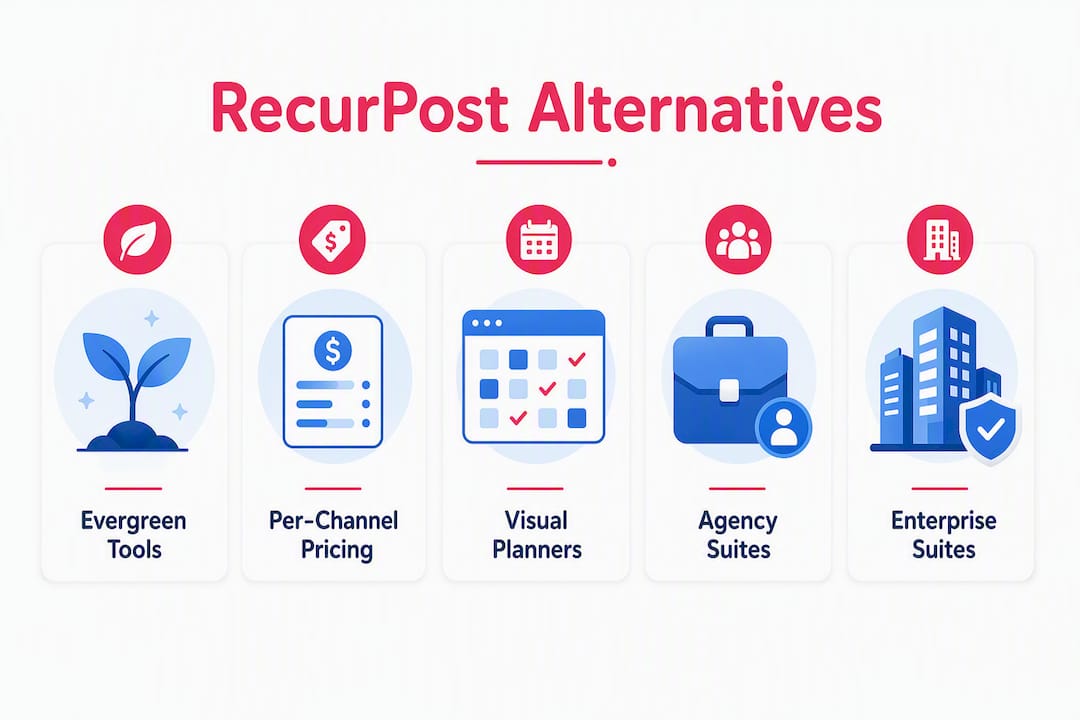
The table below maps six alternative categories against the dimensions that matter most for real purchasing decisions. Use it to identify which category fits your situation, then read the profiles in the next section for detail.
| Category | Best For | Price / Free Plan Shape | Platforms Supported | Evergreen / Reposting | Collaboration & Approvals | Analytics Depth | Integrations | Learning Curve |
|---|---|---|---|---|---|---|---|---|
| Evergreen-recycling specialists | Teams whose ROI depends on content libraries | Flat-rate; free tier limited | IG, FB, X, LinkedIn, Pinterest | Native, core feature | Basic to moderate | Moderate | RSS, Zapier | Low |
| Per-channel priced schedulers | Small teams, 1–5 profiles | Per-channel; generous free tier | IG, FB, X, LinkedIn, TikTok | Limited or add-on | Light; comment-only | Basic to moderate | Zapier, API | Very low |
| Creator visual planners | Visual-first creators, Instagram-heavy | Flat or per-channel; free tier | IG, FB, TikTok, Pinterest | Limited | Light | Basic | Zapier | Low |
| Agency all-in-one suites | Multi-client agencies | Seat or profile-based; no free tier | IG, FB, X, LinkedIn, TikTok, Pinterest | Moderate | Full approval workflows | Strong | RSS, Zapier, API | Moderate |
| Enterprise social suites | Large marketing teams, listening needs | Custom or high-tier pricing | All major + YouTube | Limited | Enterprise-grade | Deep, with listening | Full API, CRM | High |
| Photofy | Content-first teams, franchises, enterprise | Freemium + subscription; enterprise via inquiry | IG, FB, X, LinkedIn, TikTok | Yes, with scheduling | White-label, team roles | Scheduling + analytics | API, mobile + desktop | Low |
Which category to try by profile:
- Solo creator with under 5 profiles: per-channel priced schedulers or Photofy’s personal free plan
- Agency managing 10+ client accounts: agency all-in-one suites or Photofy for content-heavy clients
- Franchise or enterprise brand: Photofy or an enterprise social suite, depending on listening requirements
Detailed profiles: what each alternative category actually delivers
Understanding the trade-offs within each category is what separates a good trial from a wasted month. Here is what you need to know before you book a demo.
Evergreen-recycling specialists
These tools are the closest architectural match to RecurPost. They organize posts into categorized libraries and assign recurring time slots so content loops indefinitely, which is exactly how RecurPost’s core evergreen model works. If your social ROI depends on keeping high-performing posts in rotation without manual rescheduling, this category is your natural landing spot.
Pros:
- Native evergreen queue with category-level controls
- Flat-rate pricing that stays predictable as you add profiles
- Familiar workflow for teams already using RecurPost
Cons:
- Platform coverage is often narrower (TikTok and YouTube support varies)
- Visual editing is minimal or absent; you bring your own assets
- Collaboration features are basic compared to agency suites
Pricing shape: Flat-rate plans typically range from entry-level tiers for small teams to mid-tier agency bundles. Free tiers exist but are limited to a handful of profiles.
Migration note: Most tools in this category support CSV export of post libraries. Recreating recurring slot schedules is the most time-consuming migration step. Budget two to four hours per client account.

Best for: Teams where evergreen content recycling is the primary scheduling strategy and platform breadth is secondary.
Per-channel priced schedulers
Tools like Buffer price by the social profile, which keeps costs low for small teams but can produce unexpected cost jumps as agencies scale past five or six profiles. The UIs in this category are typically the cleanest and most beginner-friendly on the market. Publishing reliability is strong, and most tools in this category support TikTok natively.
Pros:
- Very low entry cost for 1–3 profiles
- Clean, intuitive UI with a short learning curve
- Strong TikTok and Instagram support
- Generous free tiers for personal use
Cons:
- Per-channel pricing scales poorly for agencies; flat-rate plans become more economical around 5+ profiles
- Evergreen recycling is limited or requires a paid add-on
- Client reporting is basic; white-label options are rare
Pricing shape: Free tiers cover 3 profiles. Paid plans charge per additional channel, typically in small bundles. Agency-scale costs can exceed flat-rate alternatives quickly.
Migration note: API access and Zapier integrations are standard in this category. Importing existing content libraries requires manual work or a CSV upload.
Best for: Solo creators, freelancers, and small in-house teams managing fewer than six profiles who prioritize ease of use over recycling depth.

Creator visual planners
This category targets Instagram-first creators who want a visual content calendar, drag-and-drop grid planning, and basic scheduling in one place. Tools like Hopper HQ and Loomly fall here. The visual planning experience is stronger than most schedulers, but the analytics tend to be shallow and evergreen support is limited.
Pros:
- Visual grid and calendar planning built in
- Strong Instagram and TikTok workflows
- Approachable for non-technical creators
- Some tools include basic asset libraries or Canva integrations
Cons:
- Analytics rarely go beyond engagement summaries
- Evergreen recycling is not a core feature
- Multi-client agency workflows are underserved
- Desktop-first; mobile apps vary in quality
Pricing shape: Flat or per-channel pricing at entry and mid tiers. Free plans are limited. Some tools charge per user seat at higher tiers.
Migration note: Content export options vary. Check whether the tool supports CSV or API export before committing, especially if you have a large existing library.
Best for: Visual-first solo creators and small brand teams whose primary channel is Instagram or TikTok and who want a planning experience that mirrors a content calendar.
Agency all-in-one suites
Tools like Hootsuite, Sprout Social, SocialPilot, and Planable sit in this category. They offer full approval workflows, client workspaces, multi-account dashboards, and reporting exports that agencies can send directly to clients. User-review aggregators consistently highlight approval workflows and content library strength as the top evaluation criteria for agency users. The trade-off is cost and complexity.
Pros:
- Full approval and review workflows with role-based permissions
- Client-facing reporting and white-label report exports
- Strong multi-account management from a single dashboard
- Deep analytics with custom date ranges and export options
- RSS and Zapier integrations are standard
Cons:
- Pricing is seat-based or profile-based at higher tiers; costs scale quickly
- Steeper learning curve than lighter tools
- Evergreen recycling is available in some but not all tools in this category
- Free tiers are minimal or absent
Pricing shape: Entry tiers start at mid-range monthly pricing. Agency and enterprise tiers are significantly higher and often require annual contracts. No meaningful free tier for agency use.
Migration note: Most tools in this category support API access and Zapier, making bulk content import feasible. Mapping existing client workspaces and approval chains to the new tool’s structure takes planning. Allow one to two weeks for a full agency migration.
Best for: Agencies managing 10 or more client accounts that need approval workflows, client reporting, and a centralized multi-account dashboard.
Enterprise social suites
Platforms like Hootsuite’s enterprise tier and Sprout Social’s advanced plans add social listening, sentiment analysis, CRM integrations, and custom API access on top of standard scheduling. All-in-one social platforms often bundle social tools with CRM, publishing, and analytics to create a unified workflow for marketing teams. If your team already uses a vendor’s broader ecosystem, the integration value can justify the premium.
Pros:
- Social listening and sentiment analysis built in
- Deep CRM and business suite integrations
- Enterprise-grade security and compliance controls
- Custom API access for bespoke workflows
Cons:
- High cost; typically custom-quoted
- Significant onboarding and training investment
- Evergreen recycling is rarely a priority feature
- Overkill for teams that primarily need scheduling and content creation
Best for: Large marketing teams at enterprise organizations that need listening, CRM integration, and compliance features alongside publishing.
Photofy
Photofy is a content-first social marketing platform covering the full workflow from creation to scheduling to reporting. Where most scheduling tools expect you to arrive with finished assets, Photofy gives you a built-in visual editor, pre-designed templates, a stock asset library, and video stitching tools so you can produce publish-ready content without leaving the platform. It is available on iOS, Android, and desktop.
Pros:
- Built-in visual editor with templates, overlays, and a stock asset library
- White-label content management for enterprise and franchise clients
- Scheduling and analytics in one platform
- Mobile and desktop apps with consistent feature parity
- Freemium entry point for personal use; enterprise plans via direct inquiry
Cons:
- Enterprise and white-label pricing requires a sales conversation
- Deepest value is realized by teams that need both creation and scheduling, not scheduling alone
Pricing shape: Free personal plan available. Small business subscriptions are paid monthly or annually. Franchise and enterprise plans are custom-quoted.
Migration note: Photofy’s asset library and template system means you can rebuild your content library faster than with a pure scheduler. Scheduling migration follows standard CSV and API pathways.
Best for: Franchise brands, direct selling companies, enterprise marketing teams, and any content-first team that wants creation, scheduling, analytics, and white-labeling in a single platform.
How do you choose the right RecurPost alternative for your team?
The right choice depends on your core social strategy, not on which tool has the longest feature list. Use this framework to narrow your options before you spend time on demos.
Step-by-step decision process:
- Define your primary workflow problem. Is it evergreen recycling, visual content creation, client approval workflows, or platform breadth? The answer points directly to a category.
- Count your profiles. If you manage more than five profiles, calculate cost at scale under both flat-rate and per-channel pricing models before shortlisting tools.
- Check platform coverage. Confirm TikTok, Pinterest, and LinkedIn support if those channels are active. Not every tool covers all five.
- Evaluate collaboration needs. If clients review and approve posts, you need a tool with a formal approval workflow, not just comment threads.
- Test mobile publishing. If your team publishes on the go, run a full mobile trial before committing. Mobile app quality varies significantly across categories.
- Request a data export before you cancel RecurPost. Backup your content libraries, recurring slot schedules, and any client workspace configurations before migrating.
Key demo questions to ask every vendor:
- What is the hard limit on social profiles per plan, and what happens when you exceed it?
- How does the evergreen queue handle post failures, expired tokens, or image spec errors?
- Does the approval workflow support external client reviewers without requiring a paid seat?
- Can you export white-label reports in PDF or CSV format?
- What is the API rate limit, and does Zapier integration cover all publishing actions?
- Is the mobile app a full publishing client or a companion-only app?
Pricing traps to watch for:
- Per-channel pricing that looks cheap at three profiles but doubles your bill at ten
- Seat-based tiers where adding a client reviewer costs a full user license
- Add-on fees for extra evergreen library slots or additional time slots per day
- Annual contract requirements at agency tiers with no monthly option
Red flags during a trial:
- No pre-publish checks for API token expiry or image spec validation
- Account limits that are not clearly documented before you sign up
- No data export option for posts, libraries, or analytics
- Zapier integration that covers only basic scheduling, not approvals or reporting
- Mobile app that cannot publish natively to Instagram or TikTok
Pro Tip: Before signing any contract, calculate your real monthly cost as: (number of profiles) × (posting frequency per profile) × (cost per profile or feature tier). Then add any seat costs for your team and clients. A tool that looks affordable at five profiles can cost three times as much at fifteen.
Where does RecurPost still win, and what do alternatives improve on?
Switching tools is not always the right move. RecurPost has genuine strengths that are worth preserving, and knowing what you would give up helps you make a cleaner decision.
Where RecurPost holds its own:
- The evergreen library model is one of the most mature in its category. Posts are organized into categorized libraries with recurring slots that loop indefinitely, which is a workflow most alternatives replicate only partially.
- Flat-rate pricing for many profiles makes RecurPost genuinely cost-effective for agencies managing large account sets. Flat-rate agency plans can undercut per-channel pricing once you manage roughly five or more profiles.
- White-label reporting and built-in client workflows are available at mid-tier pricing, which is not standard across the category.
- Post reliability monitoring that catches API failures, expired tokens, and image spec errors before publishing reduces client-facing broken posts, a feature that agencies often undervalue until something goes wrong.
- RSS and Zapier integrations for bulk content import are well-implemented and reduce manual scheduling workload.
Where alternatives commonly pull ahead:
- Broader platform coverage, particularly TikTok and YouTube, where RecurPost’s support is less consistent
- Cleaner, more modern UIs that reduce onboarding time for new team members
- Stronger visual planning and grid-view calendars for Instagram-first teams
- Built-in content creation tools (templates, asset libraries, video editing) that eliminate the need for a separate design tool
- Enterprise-grade social listening and sentiment analysis for large marketing teams
- More polished mobile apps for teams that publish on the go
Migration checklist before you switch:
- Export your full content library as a CSV or via API backup
- Document all recurring slot schedules with their categories and posting times
- Map existing client workspaces and approval chains to the new tool’s structure
- Verify that the new tool handles token expiry and post failure monitoring before go-live
- Run a 7–14 day shadow publishing test where both tools run in parallel; compare post reliability and reporting output before cutting over
How we selected and evaluated these alternative categories
The categories and recommendations in this article are based on a structured evaluation against the criteria that matter most to social media managers and agencies making a real purchasing decision.
Selection criteria applied:
- Fit for multi-account agency workflows, including approval chains and client reporting
- Evergreen and content recycling support as a native feature vs. an add-on
- Pricing model shape (flat-rate vs. per-channel) and how costs scale with profile count
- Collaboration workflow depth: role-based permissions, external reviewer access, approval stages
- Analytics and reporting depth, including white-label export options
- Platform coverage across Instagram, Facebook, X, LinkedIn, TikTok, and Pinterest
- App reliability and mobile publishing quality
- Migration friendliness: data export options, API availability, and transition complexity
Evidence sources: Recommendations draw on industry comparison guides, user-review aggregates from G2 and Capterra, vendor documentation, and operational guidance from social media management practitioners. Pricing snapshots reflect publicly listed ranges and are subject to change; always verify current pricing directly with vendors before purchasing.
Key Takeaways
The strongest RecurPost alternatives match your core social strategy first: recycling-first tools for evergreen-driven teams, agency suites for multi-client workflows, and Photofy for teams that need creation, scheduling, and white-labeling in one platform.
| Point | Details |
|---|---|
| Match tool to strategy | Choose a recycling-first tool when evergreen content drives ROI; choose a broader suite when platform coverage and UI matter more. |
| Watch the pricing model | Flat-rate plans become more economical than per-channel pricing once you manage roughly five or more profiles. |
| Test post reliability | Confirm the new tool has pre-publish checks for API token expiry and image spec errors before migrating client accounts. |
| Run a shadow test | Run both tools in parallel for 7–14 days before cutting over; compare broken post rates and reporting exports. |
| Try Photofy for content-first teams | Photofy pairs built-in visual creation, scheduling, analytics, and white-labeling in one platform, ideal for franchises and enterprise brands. |
Pro Tip: Sign up for Photofy’s free personal plan to test the template library and scheduling workflow before committing to a paid tier. Enterprise and franchise teams can request a white-label demo directly through the Photofy pricing page.
When would I keep RecurPost, and when would I switch?
RecurPost earns its place when the evergreen library is genuinely central to your strategy. If you have spent real time building categorized content libraries with recurring slots, and flat-rate pricing is keeping your agency profitable at scale, switching is a disruption that needs a clear payoff to justify it. The post reliability monitoring is also underrated. Agencies that have never experienced a wave of broken posts during a token expiry event tend to underestimate how much that feature protects client relationships.
That said, there are clear signals that a switch makes sense. If your clients are asking for TikTok or YouTube coverage and your current tool handles those channels poorly, that is a workflow gap that compounds every week. If new team members consistently struggle with the UI, the onboarding cost is real even if it is invisible on a spreadsheet. And if your team spends significant time moving between a scheduler and a separate design tool to produce publish-ready assets, a platform that combines creation and scheduling will recover that time quickly.
For agencies considering a migration, the most practical approach is to run a side-by-side test on a single client account for 30 days. Track broken posts, measure how long client reporting takes in each tool, and check whether the approval workflow maps cleanly to your existing process. That 30-day window will tell you more than any feature comparison table.
One procurement tip worth keeping in mind: when you are negotiating an agency or enterprise contract, white-label reporting and additional profile limits are often negotiable as add-ons rather than requiring a full tier upgrade. Ask specifically about those line items before accepting the standard package. Vendors rarely volunteer that flexibility unless you ask.
Photofy gives you creation, scheduling, and white-labeling in one place
Most scheduling tools solve one problem well. Photofy solves three at once: content creation, scheduling, and brand-consistent distribution at scale. If your team currently juggles a design tool, a scheduler, and a reporting tool as three separate subscriptions, Photofy consolidates that into a single platform available on iOS, Android, and desktop.

The platform is built for teams that cannot afford inconsistent branding across dozens of profiles. Pre-designed templates, a stock asset library, video stitching, and graphic overlays mean your team produces publish-ready content without leaving the platform. White-label content management lets franchise brands and enterprise organizations push brand-approved assets to their entire network while maintaining control over what gets published. Scheduling and analytics are built in, so reporting does not require a separate export workflow.
For solo creators and small teams, Photofy’s personal plan is free to start. For enterprise brands, franchises, and direct selling organizations, the enterprise solution includes custom white-label configurations and partnership-level support. Visit Photofy to explore plans, or contact the sales team to request a white-label demo tailored to your organization’s scale.
Further reading and sources used
The sources below were used for pricing context, feature claims, and operational guidance throughout this article. Vendor pricing and feature sets change frequently; always verify current details directly with each vendor before making a purchasing decision.
Last checked: June 2026
- G2: Top RecurPost Alternatives & Competitors — Community reviews and feature ratings for RecurPost and its alternatives; useful for real-user perspectives on approval workflows and content libraries.
- Capterra: Best RecurPost Alternatives — Verified user reviews with side-by-side feature comparisons; good starting point for shortlisting tools by category.
- G2: Compare Buffer and RecurPost — Side-by-side feature and review comparison highlighting collaboration and reporting as agency differentiators.
- Photofy: Social Media Marketing Made Easy — Primary product reference for Photofy’s features, pricing tiers, and enterprise capabilities.
- Enterprise Content Management and Distribution — Partner perspective on enterprise content distribution workflows and multi-channel publishing at scale.