

Campaign Asset Checklist: Everything to Build Before Launch
A campaign asset checklist is a single list of every creative, file, copy block and permission your campaign needs, with an owner and a status next to each item. Build it from the brief, sort it by channel, and check it against approvals and file specs before anything goes live. Below is a working version you can copy, plus the reasoning behind each section.
TL;DR
- Start with the brief: goal, audience, message, channels and timing decide which assets you need, not the other way around.
- List assets by channel (social, email, landing page, video, sales, print) and include every size, cutdown and editable source file.
- Name, tag and store each asset so your team, franchisees or reps can find the approved version in seconds.
- Check rights, accessibility and approvals before launch, then tag assets so you can compare performance afterward.
- Reuse what wins: your checklist should feed the next campaign.
Table of Contents
- What should you decide before you list a single asset?
- The campaign asset checklist, channel by channel
- How do you adapt assets for different channels, audiences and sales teams?
- How should you name, tag and store campaign assets?
- What should you check before launch?
- A sample checklist for a 6-week campaign
- How do you measure which assets worked and what to update?
- Perspective: why the checklist should live where your team creates
- Put your checklist to work with Photofy
- FAQ
- Sources
What should you decide before you list a single asset?
An asset list built without a plan turns into a pile of files nobody uses. Settle five things first, and write them at the top of your checklist.
- Goal. Newcastle University’s brand team recommends SMART goals with measurable success criteria. “Book 40 demos by the end of the quarter” tells you which assets matter. “Raise awareness” does not.
- Audience. The same guidance says audience planning should cover segments, their needs, the action you want them to take and where you can reach them. Each segment may need its own version of the message.
- Message. One sentence you can repeat across every asset.
- Channels. Pick the places where your audience already is, and drop the rest.
- Timing. Work backward from launch and leave review time before every deadline.
Larger campaigns follow the same pattern. A 2025 FEMA campaign contract, for example, requires an implementation and evaluation plan that covers audiences, outcomes, messaging, channels, campaign products, timelines and evaluation method, along with approval of final scripts and storyboards. A small business can do a lighter version of the same thing on one page.
If you want a broader planning walkthrough before you build the asset list, this guide on planning digital campaigns for organic growth covers the core deliverables a marketer needs to map out.
The campaign asset checklist, channel by channel
Copy the groups below into a spreadsheet or project board. Add three columns: owner, due date and status. Then delete anything your campaign does not use.
Social media assets
Social usually has the longest asset list because every network wants different shapes. A paid social checklist should account for master visuals, landscape, square and vertical versions, carousel cards, video and cutdowns, thumbnails, retargeting creative, alternate hooks, headlines and calls to action, audience versions and tracking references.
For your own list:
- [ ] Master visual for the campaign
- [ ] Square, vertical and landscape versions of each static post
- [ ] Carousel cards, in order, with copy
- [ ] Short-form video, plus 6 to 15 second cutdowns
- [ ] Thumbnails and cover frames
- [ ] Captions, hashtags and alt text
- [ ] Two or three alternate hooks and CTAs for testing
- [ ] Retargeting versions for people who already engaged
- [ ] Story or Reel templates local teams can edit
Video is where sizing mistakes happen most. Keep our video aspect ratios cheat sheet open while you export. If you need footage you did not shoot, see how to find stock videos for social media quickly. Pick your calls to action ahead of time too, using these pasteable social media CTAs.
Email assets
- [ ] Subject line options and preview text
- [ ] Header graphic and body images
- [ ] CTA button copy and design
- [ ] Follow-up emails for openers, clickers and non-responders
- [ ] Plain-text version
Landing page assets
The same checklist source lists desktop and mobile landing pages, forms and confirmation states. The confirmation state is the one people forget: what does a visitor see after they submit?
- [ ] Hero image or video, desktop and mobile crops
- [ ] Headline, subhead and proof points
- [ ] Form fields and thank-you message
- [ ] Confirmation email
- [ ] Tracking parameters on every inbound link
Paid search and display assets
If you run Google’s Performance Max, an asset group can include images, logos, headlines, descriptions, videos, sitelinks, other assets and audience signals, which Google then mixes across formats and channels. Because the system recombines your pieces, every headline and image needs to work next to any other. Write them as modular parts, not as one fixed ad.
- [ ] Logos (square and horizontal)
- [ ] Multiple headlines and descriptions
- [ ] Images in the required ratios
- [ ] Video for each orientation you plan to use
- [ ] Sitelinks and audience signals
Sales and print assets
Campaigns often stall at the handoff to sales. The same design checklist includes sales one-pagers and decks, print files, localized versions, final exports and editable source files.
- [ ] One-pager or PDF for reps to send
- [ ] Short deck with the campaign message
- [ ] Print-ready files at vendor specs
- [ ] Localized or dealer/franchise versions
- [ ] Editable source files stored with the finals
The New Jersey Innovation Authority adds a useful production note: a media plan should specify creative formats and sizes across print, video, display and radio, and production covers filming, editing, animation, resizing and packaging to vendor specifications. Ask each vendor for their spec sheet before you design, not after.
How do you adapt assets for different channels, audiences and sales teams?
Build one master concept, then adapt it in three directions.
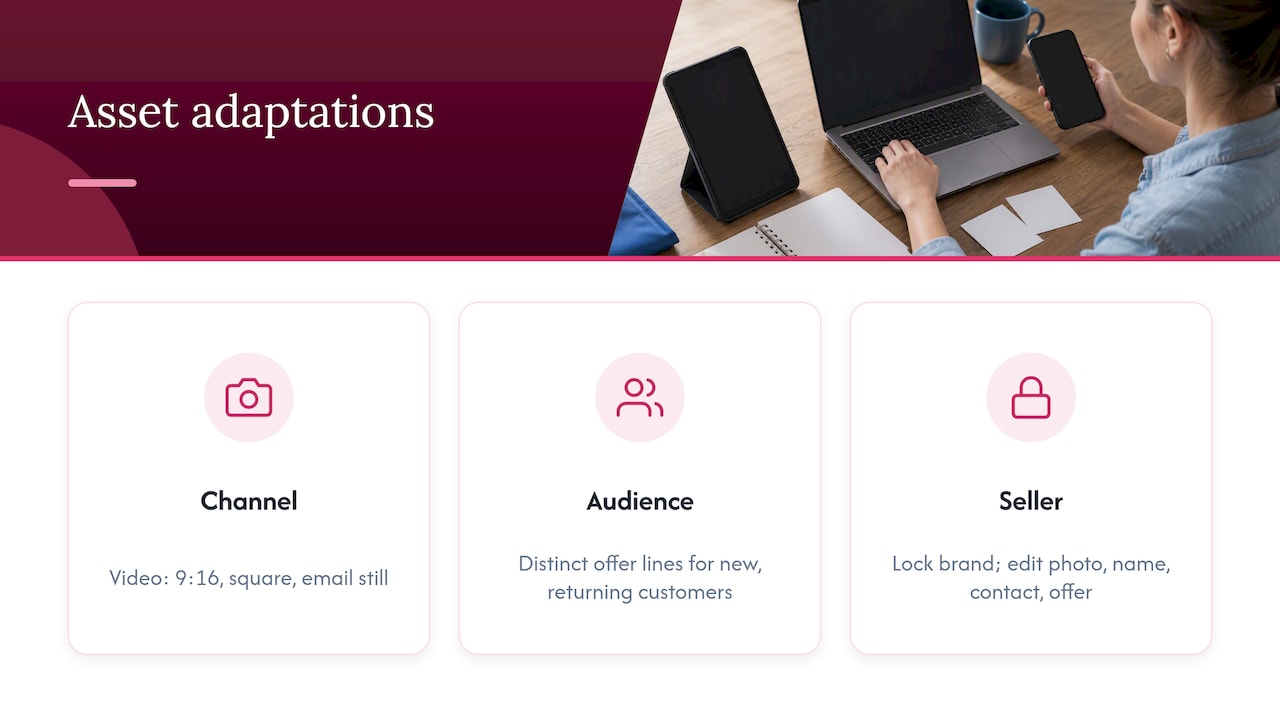
By channel. Change the shape, length and tone, not the message. A 30-second video becomes a 9:16 cutdown, a square teaser and a still frame for email. A long caption becomes a headline and a button.
By audience. If your goal and audience plan identifies segments, give each one a version that speaks to its need. A new customer and a returning customer should not see the same offer line.
By seller. Distributed teams, such as franchisees, dealers and direct sellers, need assets they can personalize without breaking the brand. The practical approach is to lock the elements that must not change (logo, colors, legal lines) and leave editable the ones that should (local photo, name, contact details, offer). Our dealer social media templates show how this works for car dealerships, and the same idea applies to franchises and direct sales teams.
User-generated and brand-made content also play different roles in this mix. If you are deciding how much of each your checklist should include, read UGC vs branded content for marketers and plan a hybrid.
How should you name, tag and store campaign assets?
A checklist tells you what exists. Naming and metadata tell you where it is. The IAB’s Dynamic Content Ad Standard recommends unique identifiers and metadata for asset type, filename, dimensions, file type, weight, aspect ratio and other attributes, so systems can store, serve, report on and version creative components. You do not need an ad server to borrow the idea.
A simple naming pattern works for most teams:
campaign_channel_format_version_date
For example: springsale_instagram_story_v2_0315.
Then add tags for message, audience, placement and destination URL. Those same tags let you compare results later. Our guide to a metadata-first social media asset library includes a checklist and five-step setup if you are starting from a messy shared folder.
Store the editable source file next to every final export. When the offer changes or a rep needs a local version, nobody should be rebuilding from a flattened PNG.
What should you check before launch?
Run this pre-flight list after assets are built and before anything is scheduled.
Brand consistency
- [ ] Logo, colors and fonts match the current guidelines
- [ ] Message matches the one-sentence campaign message
- [ ] Tone fits the channel without drifting off-brand
- [ ] Local or team versions only change the allowed fields
Our 90-day plan for content governance goes deeper on how to secure the brand and trace AI-generated material. Photography templates are another way to keep images consistent across many hands.
Rights and permissions
- [ ] License and usage terms recorded for every stock image, font, music track and clip
- [ ] Model and talent releases on file
- [ ] Third-party usage rights communicated in writing
That last point is standard in agency work. A 2026 public-sector marketing statement of work for Visit Jackson Hole requires agencies to communicate third-party usage rights in writing and makes the client responsible for complying with them. Keep a rights column in your checklist so that you can answer “can we use this?” without digging through email. For image credit on Photofy assets, see our attribution page.
Accessibility and AI use
- [ ] Alt text on every image
- [ ] Captions on every video
- [ ] Sufficient color contrast and readable text size
- [ ] AI-generated visuals reviewed by a person
The IAB’s January 2025 Generative AI Playbook recommends manual refinement for high-stakes visuals, attention to intellectual-property and ethical-use questions, accessibility compliance and review of regulated messaging.
Approvals
- [ ] Named approver for each asset (brand, legal or compliance if needed)
- [ ] Final scripts and storyboards signed off before production wraps
- [ ] Approval date recorded next to the approved version
Approval status belongs on the checklist itself. If a franchisee or rep can only reach approved files, you remove most of the risk of an outdated offer going live.
A sample checklist for a 6-week campaign
Here is how the timeline can look for a small team launching a seasonal promotion.
| Week | Focus | Assets to finish |
|---|---|---|
| 1 | Brief and plan | Goal, audience, message, channel list, asset list with owners |
| 2 | Concepts | Master visual, headline options, video storyboard |
| 3 | Production | Social sizes, email graphics, landing page imagery, video cutdowns |
| 4 | Review | Copy, rights, accessibility, approvals, file naming |
| 5 | Final prep | Scheduling, tracking links, sales one-pager, team or franchise kits |
| 6 | Launch and monitor | Post, send, watch early numbers, swap weak creative |
Adjust the length to your campaign. The order matters more than the number of weeks: plan, build, review, schedule, then measure.
How do you measure which assets worked and what to update?
Set this up before launch, not after. The IAB’s brand playbook advises you to set KPIs before launch, record pre-campaign benchmarks, and tag assets and variants so you can compare performance by message, format, audience, placement and destination. It suggests watching delivery, engagement, conversions, cost and return, brand effects and qualitative feedback, and using A/B tests and controlled changes to update weak copy, creative, targeting or channel allocation, while rotating winners to limit fatigue.
In practice:
- Change one thing per test: the hook, the image or the CTA.
- Review results weekly during the campaign.
- Retire assets that underperform after a fair test, and rotate in your alternates.
- Save the winners, with their tags, in your library for the next campaign.
For metrics and reporting, see how to measure the success of a digital marketing campaign. You can also look at our list of tools for effective digital marketing campaigns and ways to create visually stunning content.
Perspective: why the checklist should live where your team creates
We see the same pattern in almost every distributed team. The campaign plan is solid, the creative is strong, and then the assets get scattered across email threads, shared drives and text messages. By the time a local rep or franchisee posts, they are using last quarter’s offer or a logo that was never approved.
That is why we built Photofy to bring branded content creation, team approvals, asset management and publishing into one place. When your checklist items are templates and approved assets inside the same platform your team uses to post, the checklist stops being a document people forget and becomes part of the workflow.
Our approach is to give central teams control over what must stay consistent, and to give local reps room to personalize what makes the content feel authentic. For enterprise clients, white-labeling extends that control further. The result is content that is faster to produce, easier to approve and simpler to track.
Jon
Put your checklist to work with Photofy
Photofy gives you pre-designed and custom templates, a stock asset library, video stitching, graphic and text overlays, scheduling and analytics on iOS, Android and desktop. That makes it practical to turn the checklist above into finished, on-brand posts.
Our Small Business plan is listed at $10.99 per month or $99 per year. Individual plans, listed on our Individual Plans page, are $11.95 per month, $29.97 per quarter or $99.95 per year, and team plans are priced per user: Pro Teams at $13.00 per month and Enterprise Teams at $9.00 per month. Franchise and enterprise setups are arranged through our pricing page.
If you manage a franchise, a dealer network or a direct sales team, you can also read about white-label branding to see how a shared library works across many locations.
FAQ
How many assets does a campaign really need?
It depends on your channels, not on a magic number. A small campaign might need a master visual, three social sizes, one video with two cutdowns, an email header and a landing page image. Add assets only when they serve a channel in your plan.
Who should own the campaign asset checklist?
One person, usually the campaign manager or marketing lead, should own the list, even if many people work on it. Each line then gets its own owner and due date. That keeps accountability clear when something slips.
What file formats should I keep for each asset?
Keep a final export in the format each channel requires and the editable source file for every asset. Confirm specs with each platform or vendor before you export, since requirements change. Record the format in your metadata so it is easy to find later.
How do I keep franchisees or reps from going off-brand?
Give them approved templates with locked brand elements and editable local fields, and make approved files the only ones they can reach. A short guide on what they can change helps too. Platforms built for distributed teams make this easier than shared folders.
Can I reuse the checklist for the next campaign?
Yes. Save it as a template, keep the sections that fit your business, and update the asset list based on what performed. Over time, your tags and results tell you which assets to build first.
Sources
- Planning Your Campaign, Newcastle University Brand Hub
- FEMA Ready Campaign contract, U.S. Department of Homeland Security
- The Marketing Design Checklist
- Build an asset group, Google Ads Help
- Producing Your Campaign, New Jersey Innovation Authority
- Dynamic Content Ad Standard, IAB
- Statement of Work, Visit Jackson Hole creative agency, Teton County
- Generative AI Playbook for Advertising, IAB
- Playbook for Brands, IAB