
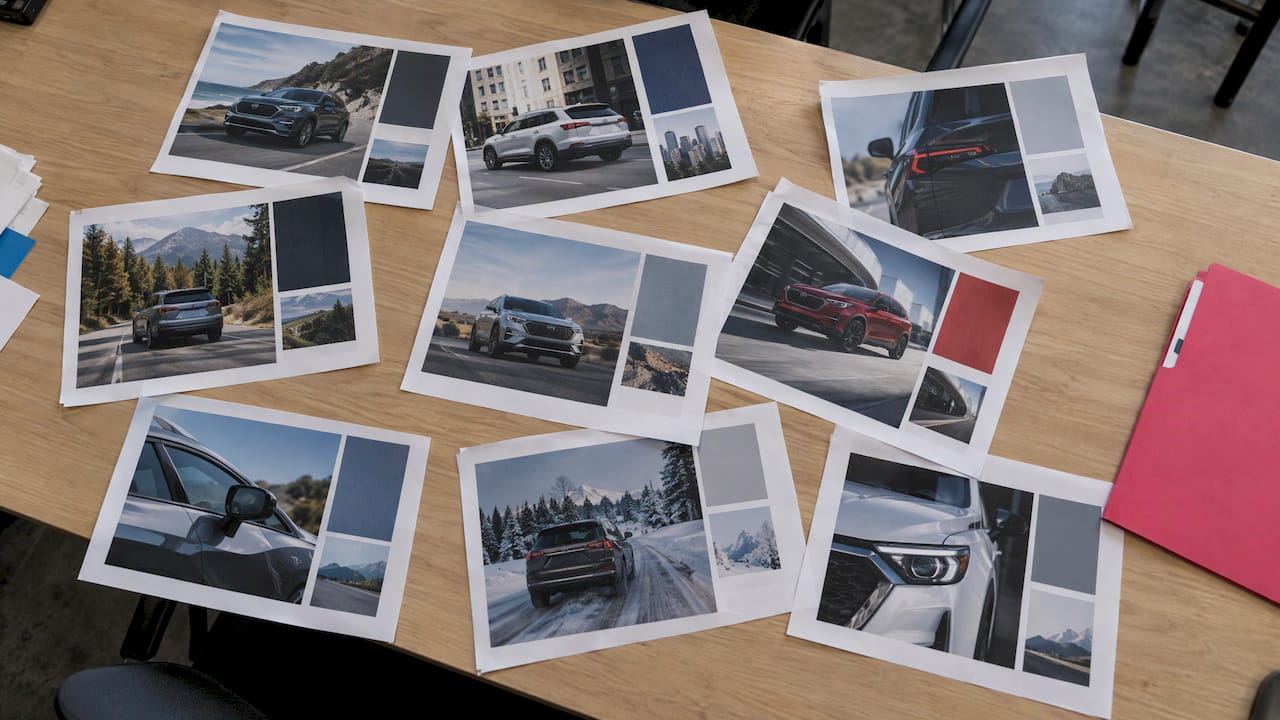
Automotive Social Media Templates for Dealers and OEMs
Automotive social media templates are pre-built layouts for photos, video and text that your team fills in with a vehicle, an offer or a message. The best ones do three things: they fit each platform’s dimensions, they lock in your brand, and they let a salesperson publish in minutes instead of waiting on a designer. This guide shows you which templates a car business needs, how to size and customize them, and how to share approved versions with every store and sales rep.
TL;DR
- Build a small core set of templates first: new arrival, sold, price or incentive, service special, review and team spotlight. Add seasonal sets later.
- Design for 1080 x 1350 pixels in the feed and 1080 x 1920 pixels for Stories and Reels, and keep key text away from the edges.
- Lock logos, fonts, colors and legal lines, and leave only the vehicle, price and local details editable.
- Manufacturers, groups and franchises need one shared library with approvals, so every rep posts compliant content without starting from scratch.
- Photofy brings templates, video stitching, scheduling, analytics and white-label content management together on iOS, Android and desktop.
Table of Contents
- Which automotive templates does a dealership actually need?
- What sizes should automotive social media templates use?
- How do you keep branding consistent when everyone customizes?
- How can manufacturers and dealer groups share approved content?
- Our perspective on automotive templates
- What should you check before using any template?
- How do you go from template to published post?
- Which Photofy plan fits your automotive business?
- Frequently asked questions
- Sources
Which automotive templates does a dealership actually need?
Most dealerships do not need hundreds of designs. You need a dependable core that covers the moments your customers care about, then variations of it. A focused library is easier to keep on brand, and your team will actually use it.
Start with these eight formats:
- New arrival and just-listed posts. One hero photo, the year, make and model, and a clear next step such as “Ask for a test drive.”
- Sold and delivery posts. A customer photo with space for a name, the vehicle and a short thank-you. These are some of the easiest posts for a sales rep to create on a phone.
- Price, incentive and finance offers. A layout with room for the offer headline and a fixed area for disclaimers.
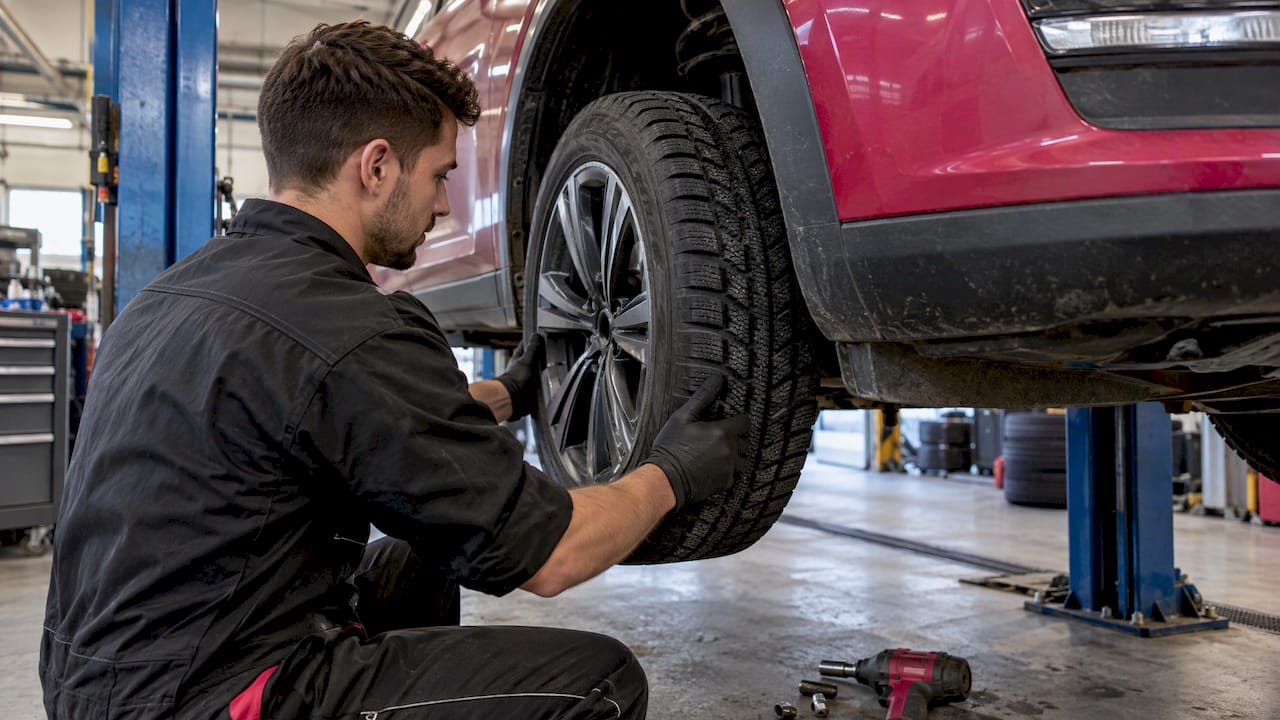
- Service and parts specials. Oil change, tire changeover, brake checks and detailing, each with a place for the offer and an appointment link.
- Educational carousels. Three to seven slides on topics like how to read a window sticker or what to check before a road trip. Our guide to carousel post ideas with micro templates shows how to structure them.
- Short vertical video. Walkarounds, feature highlights and delivery moments, with text overlays and your logo.
- Reviews and testimonials. A star-rating layout with a quote and the reviewer’s first name.
- Team and community posts. Staff introductions, charity events and local sponsorships, which tend to build familiarity before a shopper ever walks in.
If you want ideas sorted by business goal, our list of auto dealer social media ideas groups posts by what you want customers to do, such as booking an appointment.
Templates for specific businesses
The same system adapts to other parts of the automotive world:
- Independent used-car lots lean on inventory spotlights, financing messages and “just reduced” graphics.
- Franchise dealers need OEM-approved incentive layouts alongside local event posts.
- Service centers and tire shops rely on seasonal reminders, such as winter tire changeover, and coupon-style graphics.
- Detailing and wrap studios benefit from before-and-after layouts and package menus.
- Manufacturers and distributors need campaign templates that every dealer can localize without changing the brand.
What sizes should automotive social media templates use?
Build each template at the right dimensions from the start. Resizing later usually crops the vehicle or pushes text into areas the app covers with buttons and captions.
According to Buffer’s 2026 Instagram size guide, Instagram feed posts can be square at 1080 x 1080 pixels, portrait at 1080 x 1350 pixels or landscape at 1080 x 566 pixels. Stories and Reels use 1080 x 1920 pixels at a 9:16 ratio. The same guide notes that the profile grid previews in a 3:4 ratio, so keep the important parts of a design centered.
Here is a practical working set for a dealership:
| Use | Format | Size in pixels | Design note |
|---|---|---|---|
| Feed photo or carousel | Portrait | 1080 x 1350 | Takes up the most screen space on a phone |
| Feed, simple offer | Square | 1080 x 1080 | Works across platforms with little cropping |
| Stories | Vertical | 1080 x 1920 | Leave top and bottom margins clear for the app interface |
| Reels and short video | Vertical | 1080 x 1920 | Put text in the middle of the frame |
| Wide banner or link image | Landscape | 1080 x 566 | Good for a single vehicle shot with a short headline |
A few habits make templates more reliable:
- Keep text short. A phone screen shows a vehicle photo, a headline and one line of detail. Everything else belongs in the caption.
- Protect the vehicle. Place the photo frame so a standard three-quarter front shot is not cropped at the wheels or roofline.
- Reserve a legal strip. If your offers need a disclaimer, give it a fixed spot at the bottom so it never gets squeezed out.
- Check contrast. White text over a bright showroom photo is hard to read. Use a gradient bar or a solid color block behind the headline.
To see how video fits in, read about video stitching for content management, which covers combining clips into a single branded post.
How do you keep branding consistent when everyone customizes?
Consistency comes from deciding in advance what can change and what cannot. When a template is flexible everywhere, every rep makes slightly different choices, and within a few months your stores look like different companies.
Split each template into two kinds of elements:
Locked elements
- Logo placement and size
- Brand fonts and color palette
- Required legal or OEM disclaimers
- Overlay shapes and frames
- Approved calls to action
Editable elements
- The vehicle photo or video
- Model, trim and year
- Price or offer text, within approved wording
- Store name, phone number and address
- A short personal message from the rep
This approach lets a salesperson in one city post a delivery photo that is plainly part of the same brand as a post from a store two states away. For more on why this works, see our article on how photography templates support brand consistency.
Build a naming and tagging system
Templates are only useful when people can find them. Name each one by purpose and format, for example “Sold – Story” or “Service special – Feed.” Tag assets by model year, campaign and store. Our metadata-first asset library checklist walks through a five-step setup that keeps a growing library searchable.
Plan the calendar, then the templates
A template library works best when it follows a posting rhythm. Map out the year: model launches, model-year closeouts, tax season, holiday sales events, back-to-school and winter prep. Then build or update templates a few weeks ahead of each moment. Our free content calendars give you a starting point for the schedule.
How can manufacturers and dealer groups share approved content?
For a single store, a shared folder may be enough. For a manufacturer, a franchise group or a dealer network, it quickly stops working. Files get renamed, old incentives keep circulating, and nobody can tell which version is current.
A workable sharing system has five parts:
- One central library. Corporate or the OEM uploads approved photos, video, PDFs and templates in one place.
- Role-based access. Each rep sees the assets for their store, brand and region, and nothing else.
- Approval steps. Anything that includes pricing, financing or a claim goes through review before it can be published.
- Expiry and version control. Incentive posts are retired when the offer ends, so nobody promotes an expired deal.
- Reporting. You can see which assets get used and which posts get engagement, so you build more of what works.
Photofy was designed for this kind of distributed use. It combines branded content creation, team approvals, asset management and automated publishing in one platform. That lets a central team control the brand while local reps create content that is relevant to their market. Photo, video and PDF assets can all be shared with a sales team.
We cover the practical side in two companion pieces: what dealer marketing assets to build, share and track and OEM-compliant social media, brand control and accessibility. If your program involves co-op funds and channel partners, see our guide to through-channel marketing automation.
Our perspective on automotive templates
Most dealership social media problems are not creative problems. They are process problems. A store has good photos, a motivated sales team and a real offer, but the post goes out three days late, or it goes out with the wrong logo, or it never goes out at all.
We built Photofy around the idea that the person closest to the customer should be able to publish quickly, and the brand should still stay in control. That is why we combine templates, approvals, an asset library and scheduling in one place, and why we offer white-label content management for organizations that want the platform to carry their own name.
For automotive, that means a rep can take a delivery photo on a phone, drop it into an approved layout and post it while the customer is still smiling at the car. Corporate does not have to chase anyone. Our approach is to give the sales floor tools that are quick enough to use and structured enough to trust.
Start small. Choose five templates, train the team on them, and add more once people are posting every week.
Jon
What should you check before using any template?
Before a template goes into your library, run through a short review. It protects the dealership and keeps the library clean.
- Rights to the images. Confirm you have the right to use every photo, font and graphic in a commercial setting. Photos of customers need their permission, and delivery photos are no exception.
- Manufacturer guidelines. Franchise dealers should check OEM rules on logo use, vehicle imagery and advertising language before building templates around them.
- Pricing and advertising rules. Offer posts should include the required disclosures. Have your compliance or legal contact approve the wording once, then lock it into the template.
- Accessibility. Use readable type sizes and strong color contrast, and add alt text where the platform allows it.
- Total cost. Compare the cost of a template pack with the time your team spends editing, resizing and approving. A tool that keeps everything in one workflow often saves more than a one-time download.
One more point on inventory: social posts work best when they point to a vehicle page that is easy to find and fast. If you also work on the website side, dealer SEO for inventory pages helps shoppers who click through from a post land on pages that are easy to discover in search.
How do you go from template to published post?
A repeatable workflow keeps the process quick. Here is one that works for most stores:
- Capture. Take the vehicle photo or video in consistent light, with a clean background and the same angles each time.
- Choose. Pick the template that matches the goal: arrival, sold, offer, service or story.
- Customize. Add the model, trim, offer and store details. Brand elements stay locked.
- Approve. If the post includes pricing or claims, it goes to a manager or the OEM review queue.
- Schedule. Queue it for the time your audience is most active, or post right away.
- Measure. Look at reach, saves, clicks and message inquiries each month, then retire weak designs and repeat strong ones.
Our article on same-day publishing for dealer social media templates goes deeper on shortening the time between photo and post.
Which Photofy plan fits your automotive business?
Photofy offers options for individuals, small businesses and large organizations. Here are the prices published on our site:
| Plan | Published price | Who it suits |
|---|---|---|
| Small Business | $10.99 per month or $99 per year | Independent lots, service shops, detailers |
| Individual Plans | $11.95 per month, $29.97 per quarter or $99.95 per year | Sales reps and advisors who post on their own accounts |
| Pro Teams | $13.00 per month per user | Store teams that share templates |
| Enterprise Teams | $9.00 per month per user | Larger teams with many users |
Franchise, dealer group and manufacturer programs, including white-label content management, are arranged by direct inquiry, and the Individual and Enterprise plans on our pricing page do not list a published price.
If you run a single store or a shop, start with the Small Business plan. Individual reps can look at the Individual Plans. Photofy runs on iOS, Android and desktop, so your team can create from the lot or from the office.
If you manage a network of dealers or a manufacturer’s sales team, contact us through the Photofy site to talk through a setup with approvals, a shared asset library and your own branding.
Frequently asked questions
What are the best automotive social media templates to start with?
Begin with new arrival, sold, offer, service special and review templates. They cover the posts a dealership publishes most often. Once your team uses them every week, add carousels, short video and seasonal sets.
What size should car dealership social media posts be?
Use 1080 x 1350 pixels for Instagram feed posts and 1080 x 1920 pixels for Stories and Reels, as Buffer’s size guide lists. Square 1080 x 1080 works when you want one design across several platforms. Keep text and logos away from the edges.
Can franchise dealers customize OEM templates?
Yes, within the limits the manufacturer sets. The usual approach locks the logo, fonts, colors and disclaimers, and leaves the vehicle, local offer and store details editable. A shared library with an approval step keeps each dealer’s version compliant.
How can a sales team use templates without a designer?
Give each rep access to a small set of approved templates on their phone. They add a photo or video, fill in the editable fields and publish or schedule. Because the brand elements are locked, the result looks consistent without design skills.
Do templates work for video as well as images?
They do. Video templates add your logo, text overlays and brand frames to clips, and you can stitch several clips into one vertical post. Use the 1080 x 1920 format for Reels and Stories.