
Content Distribution to Teams: A Practical Playbook
Content distribution to teams means getting approved photos, videos, PDFs and templates into the hands of the people who represent your brand, in a form they can use in minutes. Done well, it keeps your branding consistent while giving each rep, franchisee or dealer room to personalize. This guide shows you how to organize assets, set approval rules, automate delivery and measure whether it works.
TL;DR
- Put every approved asset in one central library, and give each team the roles and permissions that match what they need to do.
- Share editable templates instead of finished files, so local teams can personalize without breaking brand rules.
- Use a hybrid model: central control over logos, claims and compliance, distributed publishing for local content.
- Automate delivery, scheduling and reminders so updates reach the field without long email chains.
- Track participation, compliance and results by location or team, then adjust each quarter.
Table of Contents
- What does content distribution to teams actually mean?
- Why do shared folders and email attachments break down?
- How should you organize photos, videos, PDFs and templates?
- How do you keep content on brand and still let teams customize?
- How do roles, access and updates work for a large team?
- What can you automate to make distribution faster?
- How does Photofy handle content distribution to teams?
- What does it cost to get started?
- How do you measure whether distribution is working?
- What we have learned about distributing content to teams
- A 30-day plan to launch team content distribution
- FAQ
- Sources
What does content distribution to teams actually mean?
The phrase covers two different jobs, and it helps to separate them.
The first is internal distribution of reports, documents and training. Microsoft’s guidance on content distribution and sharing defines it as sharing content at scale with a wider audience of consumers, and it names the participants: administrators, central IT or BI teams, content owners and creators, and the consumers who use the content to make decisions.
The second is marketing distribution: giving sales reps, franchisees, dealers, agents or direct sellers the photos, videos, PDFs and post templates they need to promote your brand on their own channels. That is the focus of this article. The roles are the same, though. Someone owns the content, someone creates it, and many people need to use it correctly.
This matters most in these situations:
- Franchises that need every location to look like the same brand.
- Direct selling companies whose independent consultants post daily.
- Car manufacturers and dealers sharing vehicle photos, video walkarounds and PDF spec sheets with sales teams.
- Enterprises with regional marketers and local reps who each need on-brand content quickly.
- Small business teams that have outgrown a shared folder and a group text.
Why do shared folders and email attachments break down?
Most teams begin with a shared drive, a chat channel or an email list. It works for five people. It stops working when you have fifty or five hundred, for predictable reasons:
- Nobody knows which version is current. An old logo or an expired offer keeps circulating long after you replaced it.
- Files are finished, not flexible. A rep who needs to add a name, phone number or local photo has to open a separate design tool, and often gives up.
- There is no record of use. You cannot tell who downloaded what, or whether anyone posted it.
- Approvals happen out of sight. Someone reviews a post in a thread, and the approved version never makes it back to the library.
The real cost is inconsistency and delay. Reps who cannot find something fast either skip posting or create their own version, which is how off-brand content gets published.
How should you organize photos, videos, PDFs and templates?
Start with structure, not tools. A library that people can search in ten seconds gets used. One they have to browse for five minutes does not.
Sort by how people look for content
Field teams search by campaign, product, season or audience, not by the internal folder logic of your marketing department. Build categories around those terms. Our guide to a metadata-first social media asset library walks through a five-step setup, including the tags that make search work.
Separate locked assets from editable ones
Decide what never changes (logos, legal lines, product claims) and what local teams can customize (photos, offers, contact details, captions). Put the locked items in the template itself, so the rep cannot alter them by accident.
Offer each format in a usable shape
| Asset type | Best way to distribute | What local teams should be able to change |
|---|---|---|
| Photos | Tagged library with approved crops | Overlay text, local contact details |
| Video | Short clips teams can stitch together | Order of clips, intro and outro, captions |
| PDFs | Current version only, with expiry on old ones | Usually nothing, or a contact block |
| Post templates | Editable, brand-locked layouts | Headline, image, offer, name |
The goal is that a rep opens one place, picks something, makes it theirs in a minute or two and posts it.
How do you keep content on brand and still let teams customize?
This is the hardest part of content distribution, and the part where the model you choose matters most.
Nielsen Norman Group’s research on intranet content management describes a distributed model, where administrators across the organization create and publish, and a hybrid model that keeps central oversight of key content while letting others publish under guidelines. Their view is that hybrid is often the practical balance. The same logic applies to marketing: the center protects standards, and the edges stay close to their customers.
In practice, that means:
- Central team owns logos, color values, typography, legal disclaimers, product claims and the template designs.
- Local teams own the choice of photo, the local offer, the personal message and the timing.
- Approvals apply to what is risky. Regulated claims, new campaigns and anything that touches pricing go through review. Routine posts built from approved templates do not need to.
If you want a detailed rollout plan, see our brand governance framework for distributed teams and the 90-day content governance guide. For the wider picture of control at scale, our distributed marketing playbook covers the operating model.
Do not forget disclosures
When reps, consultants or employees promote your products, the connection to your company can matter legally. The FTC says that if an endorser is an employee of the marketer, or has been paid or given something of value, the connection should be disclosed clearly and conspicuously when consumers would not expect it. Build the disclosure line into your templates and captions so reps do not have to remember it. For specific questions about your program, talk with your attorney.
How do roles, access and updates work for a large team?
Good access control is dull and essential. Microsoft’s guidance recommends setting roles and permissions for consumers and creators, using groups where feasible, planning how to train users to create and share content appropriately, and regularly auditing sharing activity.
For a marketing team, translate that into a short checklist:
- Group people by role or location. A dealer in Texas should see Texas offers, not every region’s.
- Give most people “use” access, a few “create” access and very few “approve” access.
- Retire content on a schedule. Set an end date on seasonal offers and discontinued products so they disappear rather than linger.
- Train in short bursts. A five-minute walkthrough of the library and one template beats a long onboarding session nobody remembers.
- Review activity monthly. Look for unused folders, templates nobody picks and teams that never log in.
The end-date point is not minor. A case study on partner training distribution describes a central location with real-time updates, aggregated usage reports and controls to expire partner access when needed. The setting is training content, but the principle carries over to marketing assets.
What can you automate to make distribution faster?
Automation removes steps between “approved” and “posted.” The steps worth targeting:
- Notification. Alert the team when a new campaign kit is ready, instead of emailing attachments.
- Publishing and scheduling. Let reps queue approved posts for the week in one sitting.
- Reminders. Nudge teams that have not participated.
- Expiry. Remove outdated content automatically.
A workflow blueprint for franchise operations describes this kind of approved-campaign workflow: distribute assets and guidelines, track participation, collect proof of execution, send reminders and roll performance up by location.
Fewer steps also means fewer delays. One contractor reported cutting a 12-step course-publishing process to a single step, with updates more than 90% faster, according to a published case study. That is a training example, not a marketing one, but it shows how much time is usually lost in handoffs. If you also publish web content on a schedule, an automated publishing platform for multiple channels can cut the manual steps between a finished piece and a live page.
How does Photofy handle content distribution to teams?
Photofy was built for exactly this problem. It brings branded content creation, team approvals, asset management and automated publishing into one platform, so a distributed organization can keep brand control while local reps create authentic, compliant content quickly.
What that looks like in daily use:
- Pre-designed and custom templates with locked brand elements and editable fields.
- A stock asset library your central team curates for the field.
- Video stitching and graphic and text overlays so reps can build short videos on their phones.
- Scheduling and analytics to publish and see what performs.
- White-label content management for enterprise clients who want the platform to carry their own brand.
- Availability on iOS, Android and desktop, so teams work wherever they are.
For video-heavy teams, see how video stitching simplifies content creation. For office-based marketers building kits, our desktop content creation guide covers that workflow.
What does it cost to get started?
Photofy offers plans for different team sizes. The published prices, read from our site in September 2026:
| Plan | Price |
|---|---|
| Small Business | $10.99 per month, or $99 per year |
| Individual Plans | $11.95 per month, $29.97 per quarter, or $99.95 per year |
| Pro Teams | $13.00 per month per user |
| Enterprise Teams | $9.00 per month per user |
You can see the Small Business plan and the Individual Plans on their pages. Franchise and enterprise rollouts, including white-label setups, are arranged through our pricing and inquiry page.

If you are a small team, start with a plan that matches your size and add structure as you grow. If you are a franchisor, OEM or direct selling company, begin with a pilot group of 10 to 20 people and one campaign, then expand once you see participation.
How do you measure whether distribution is working?
Distribution is only worth it if people use what you send. Measure in three layers.
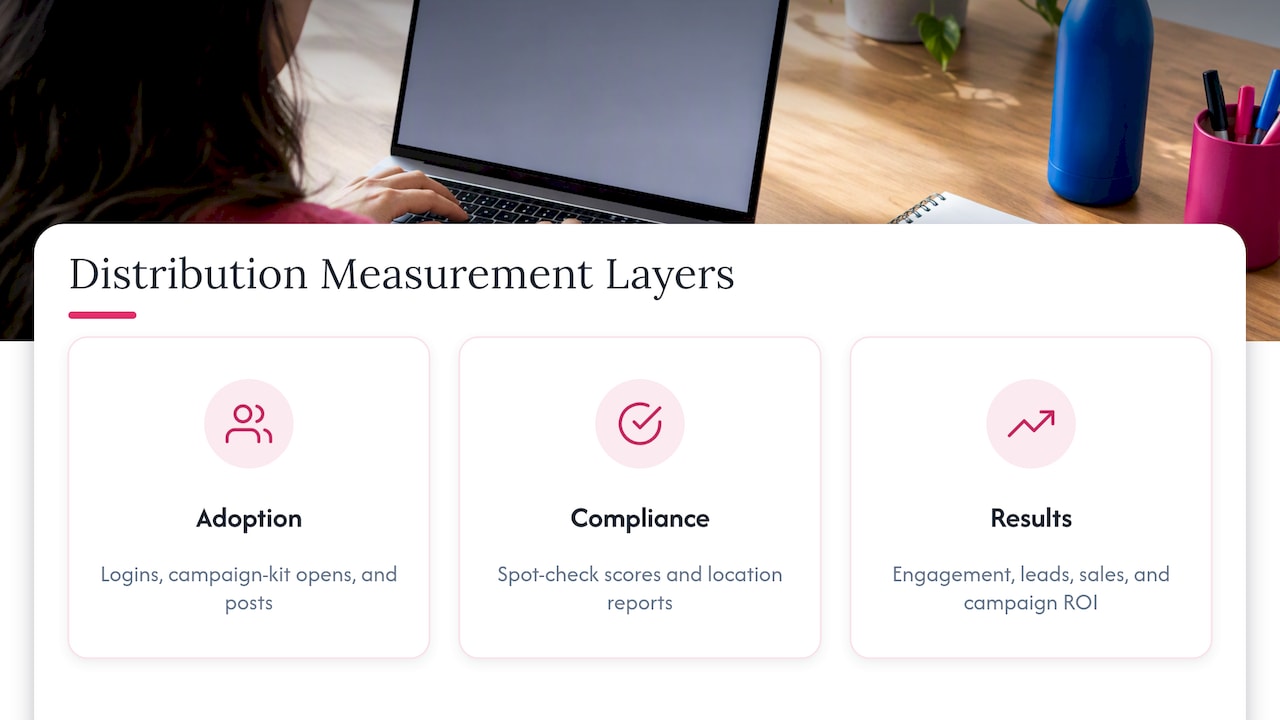
Adoption: are people using it?
Track how many people log in, how many open each campaign kit and how many post. The franchise workflow blueprint above suggests regional participation and days to full deployment as core measures. Another example, a sales-enablement app case study, reports a 30-day dashboard of the most viewed, downloaded, shared or playlisted content, a useful model for spotting which assets your field actually wants.
Compliance: is it on brand?
Spot-check posts against your checklist weekly or monthly. The same blueprint recommends a brand-compliance score and a per-location compliance report. Our brand compliance checklist gives you a template to start from.
Results: is it working?
Connect posts to engagement, leads and sales where you can. Average campaign ROI is one measure the blueprint lists. For a practical walkthrough, read how to measure the success of a digital marketing campaign.
Scale is also worth tracking. A partner training program reported more than 330 courses and an average of 2.4 versions per course, according to the Valvoline case study. Version counts like that show why you need a single source of truth: content changes, and your system has to keep up.
What we have learned about distributing content to teams
We work with small businesses, franchises, direct selling brands and enterprises, and the same pattern shows up each time. Teams rarely fail because they lack content. They fail because the content is hard to find, hard to edit or hard to trust.
Our view is simple. Give people something they can personalize in under two minutes, lock the parts that must not change and make approval lightweight for routine posts. When a rep can open an app, pick a template, add a local photo and schedule it, participation rises on its own. When they need to email a designer, it falls.
We also believe control and flexibility work together. Strict brand rules without easy tools push reps to workarounds. Easy tools without rules produce a mess. The answer is templates that carry the rules inside them, so brand consistency becomes the default instead of a reminder.
— Jon
A 30-day plan to launch team content distribution
- Week 1: Audit. List every place content lives today and who uses it. Retire anything outdated.
- Week 2: Structure. Define roles, categories and the locked versus editable elements. Draft your approval rules.
- Week 3: Build. Create five to ten templates and load your best photos, videos and PDFs, tagged for search.
- Week 4: Pilot. Train a small group, run one campaign, and collect feedback on what slowed them down.
Then review participation, compliance and results, and expand to the next group. Direct sellers can find more tactics in our guide to social media content for direct sales.
FAQ
What is the best way to share marketing content with a remote or field team?
Use one central library with role-based access, and share editable templates rather than finished files. This lets reps personalize content while the brand elements stay locked. Add notifications for new campaigns so nobody relies on email attachments.
How do franchises share content with franchisees without losing brand control?
They use a hybrid model: the franchisor controls logos, claims and template designs, and franchisees customize local details like photos, offers and contact information. Approval is required only for higher-risk content. Tracking participation and compliance by location shows you where to coach.
Can I distribute video and PDFs as well as photos?
Yes. Treat each format by how it is used. Photos and video work best as editable, brand-locked content that teams can personalize, while PDFs should be kept current with old versions retired. Photofy supports photo, video and PDF content for teams such as car dealers and their sales staff.
How do I know if my team is actually using the content?
Track logins, views, downloads, shares and posts, ideally by team or location. Compare those numbers against your compliance checks and campaign results. Low participation usually points to content that is hard to find or edit, not to unwilling reps.
How much does a team content platform cost?
Prices vary by team size. Photofy’s Small Business plan is $10.99 per month or $99 per year, Pro Teams is $13.00 per month per user and Enterprise Teams is $9.00 per month per user. Franchise and enterprise setups are arranged directly with our team.
Sources
- Power BI implementation planning: Content distribution and sharing (Microsoft Learn)
- Content Management on Intranets: Centralized, Distributed, Hybrid (Nielsen Norman Group)
- FTC’s Endorsement Guides: What People Are Asking
- Valvoline delivers product training with Content Controller
- The Brothers that just do Gutters cuts course publishing time
- Marketing campaign coordination: Franchise Operations
- xAPI Case Study: Behr Paint
- Automated Publishing Platform