
Desktop Content Creation for Marketing Teams: A Practical Guide
Desktop content creation is the work of building marketing content (social posts, short videos, PDFs, branded images) on a computer, where you have a larger screen, easier file handling and room to work across several projects at once. For a business, the goal is not a faster computer. It is a repeatable way to create on-brand content, get it approved and publish it on schedule. This guide shows you how to set that up, what to look for in a tool, and how to keep branding consistent when more than one person is creating.
TL;DR
- Desktop content creation for business means producing, reviewing and publishing marketing assets from a computer, usually alongside a mobile app for quick edits in the field.
- It is not the same as desktop publishing, which centers on page layout for print and documents.
- The biggest risk as a team grows is inconsistent branding, so templates, a shared asset library and an approval step matter more than raw design power.
- Look for templates, video stitching, overlays, scheduling, analytics and brand controls in one place, not five separate tools.
- Photofy runs on desktop, iOS and Android, with a free tier for personal use and paid plans for small businesses, teams and enterprises.
Table of Contents
- What does desktop content creation mean for business marketing?
- Why use a desktop for content work at all?
- What types of content can you create from a desktop?
- Which features should you look for in a desktop content creation tool?
- How do you keep branding consistent across employees, franchisees and sales teams?
- A simple workflow from idea to published post
- Our perspective: control and freedom are not opposites
- Choosing a Photofy plan
- Common mistakes to avoid
- How to get started this week
- FAQ
- Sources
What does desktop content creation mean for business marketing?
Search for this phrase and you will mostly find guides to powerful PCs and workstations built for video rendering. That hardware matters if you edit feature-length film. Most marketing teams have a different need: a reliable place to turn an idea into a finished post, video or PDF without opening four programs.
The American Marketing Association describes content marketing as the strategic creation and distribution of valuable, relevant content that attracts and engages a target audience. It draws people in by being useful, rather than interrupting them the way traditional advertising does. Desktop content creation is the production side of that definition: the tools and routines you use to make the content in the first place.
The same AMA guide lists the kinds of collateral involved: blog posts, how-to videos, white papers and social media posts, distributed through websites, email newsletters, social platforms and third-party publications. In practice, a small business or sales team mostly produces a narrower set:
- Social posts with a photo, a text overlay and a logo
- Short videos stitched from several clips
- PDFs such as flyers, product sheets and price lists
- Promotional graphics for seasonal offers or events
How is it different from desktop publishing?
Desktop publishing is the older term. Enlyft’s overview describes it as creating documents with page-layout skills on a personal computer, used to produce typographic-quality text and images, often for printed matter. Think brochures, books and magazines.
Desktop content creation is broader and more fluid. It covers the same layout skills when you need them, but the output is usually digital, short-lived and published many times a week. One difference is especially important for teams. Translation specialists at GTELocalize note that desktop publishing workflows tend to be sequential rather than collaborative, which can slow revisions and approvals as content volume grows. A marketing team posting daily cannot wait on a one-person-at-a-time process.
Why use a desktop for content work at all?
Phones are excellent for capturing a photo at a job site, a showroom or an event. They are less comfortable for the rest of the job. A desktop gives you three practical advantages:
- Screen space. You can see the whole layout, check text for typos and compare versions side by side.
- File handling. Moving large video files, PDFs and folders of photos is faster with a keyboard, a mouse and a proper file system.
- Batching. Planning a week or a month of posts in one sitting is easier at a desk than between meetings on a phone.
The strongest setup uses both. Someone in the field captures the raw material on a phone, and a marketer or manager finishes, approves and schedules it from a computer. That is why we built Photofy to work on iOS, Android and desktop with the same templates and assets behind each.
What types of content can you create from a desktop?
The AMA lists blog posts, how-to videos, white papers, social posts, videos, infographics, emails and podcasts as common content marketing formats. You do not need to produce all of them. Pick the formats your audience actually uses and your team can maintain.
For social marketing, a useful starting mix looks like this:
| Format | Best for | Typical desktop task |
|---|---|---|
| Branded photo post | Announcements, offers, product highlights | Apply a template, add a text overlay and logo |
| Stitched video | Stories, demos, testimonials | Combine several clips into one short video |
| Flyers, catalogs, price sheets | Share a locked, approved version with the team | |
| Evergreen graphic | Tips, FAQs, how-to steps | Reuse and refresh over months |
If you want ideas for the first row, our guide to creating visually stunning digital marketing content walks through ten approaches. For the video row, see how video stitching simplifies video creation inside a content management platform.
Which features should you look for in a desktop content creation tool?
Marketers who want automated content creation should judge a tool on how much repeat work it removes, not on how many effects it offers. Here are the criteria we think matter most.
Templates you can lock and customize
Templates are the fastest way to turn a blank canvas into a finished post. The question is who controls them. A good system lets a brand owner set fixed elements, such as logo placement, colors and fonts, while leaving other areas open for local changes like a name, a photo or a phone number. Our article on how photography templates support brand consistency explains this balance in more detail.
A built-in asset library
A stock asset library saves you from hunting for images and graphics in other places. Even more useful is a shared library of your own approved photos, videos and PDFs, so people use current files instead of whatever is sitting in their downloads folder. If you are building one from scratch, a metadata-first asset library checklist gives you a five-step setup.
Video stitching, overlays and simple editing
Most marketing video is short. You need to combine clips, add text and graphic overlays, and export in the right shape for each channel. A tool that handles this natively keeps you out of a full video editor for routine work.
Scheduling and analytics
Creating a post is only half the job. You also need to publish it consistently and see what worked. Look for scheduling and analytics in the same place you create, so the loop from idea to result stays short. Our guide to choosing a social media scheduling tool lists the questions to ask.
Approvals and governance
This is the feature most small teams skip until something goes wrong. An approval step means a manager sees content before it goes live. Governance means you know who created what, which template it used and which version is current. For a practical approach, read our 90-day content governance plan for marketing.
Multi-device support
Check that the tool runs on desktop and mobile with the same account, assets and templates. Otherwise your field team and your office team end up working in different systems.
How do you keep branding consistent across employees, franchisees and sales teams?
This is the hardest problem in team content, and it grows with every person you add. Five people can follow a PDF brand guide. Five hundred cannot, and the content they create under pressure will drift: a wrong shade of blue, an old logo, a claim that legal never approved.
The approach that holds up has four parts.
Put the rules inside the tool
A brand guide that lives in a separate document depends on people reading it. Templates that already contain the correct logo, colors and fonts make the right choice the easy one. People still personalize, but they start from a compliant base.
Separate what is fixed from what is flexible
Decide in advance what no one may change (logo, legal disclaimers, color palette) and what local users may change (photo, headline, contact details, local offer). Write this down once, then build it into the templates. That clarity helps the local rep, too, because they know exactly where they have freedom.
Centralize the asset library
When everyone pulls photos, videos and PDFs from one library, you avoid outdated materials. Digital asset management vendors describe the same principle: Brandfolder says DAM workflows help teams use up-to-date assets that match brand standards, by managing an asset from creation through storage, distribution and archiving. You do not need an enterprise DAM to apply the idea. You need one place, clear naming and an owner.
Add one approval step where risk is highest
Not every post needs review. Regulated claims, product pricing and anything that uses a customer’s image usually do. Route those through approval and let routine posts flow freely, so the process does not become a bottleneck.
For teams who work through independent sellers, franchisees or dealers, the same four parts apply with one addition: the tool should feel easy enough that people choose to use it. If the compliant option is slower than making something in a free design app, people will take the faster route. Our post on template management for teams covers how to build a template set people actually use.
A simple workflow from idea to published post
The workflow below suits a small marketing team, a franchise or a direct selling organization. Adjust the names to fit your roles.
- Plan. Set a goal and choose the audience. The AMA’s guidance is to define objectives, understand the audience, plan and create relevant content, choose suitable platforms, schedule consistently and measure results to refine the strategy.
- Capture. Collect raw photos and video clips, from the field on mobile or from your library on desktop.
- Create. Start from an approved template. Add your overlay, text and logo. Stitch clips for video.
- Review. A manager checks only the content that carries risk, using a short checklist: correct logo, accurate claim, readable text.
- Publish. Schedule posts for the times your audience is active, and keep a steady cadence.
- Measure and reuse. Review analytics, keep what performed, and repurpose it. Our guide to repurposing marketing content shows how one asset can become several.
Write the checklist in step four on a single page. If a reviewer needs more than a minute per post, the process will stall within a month.
Match content to the buyer’s stage
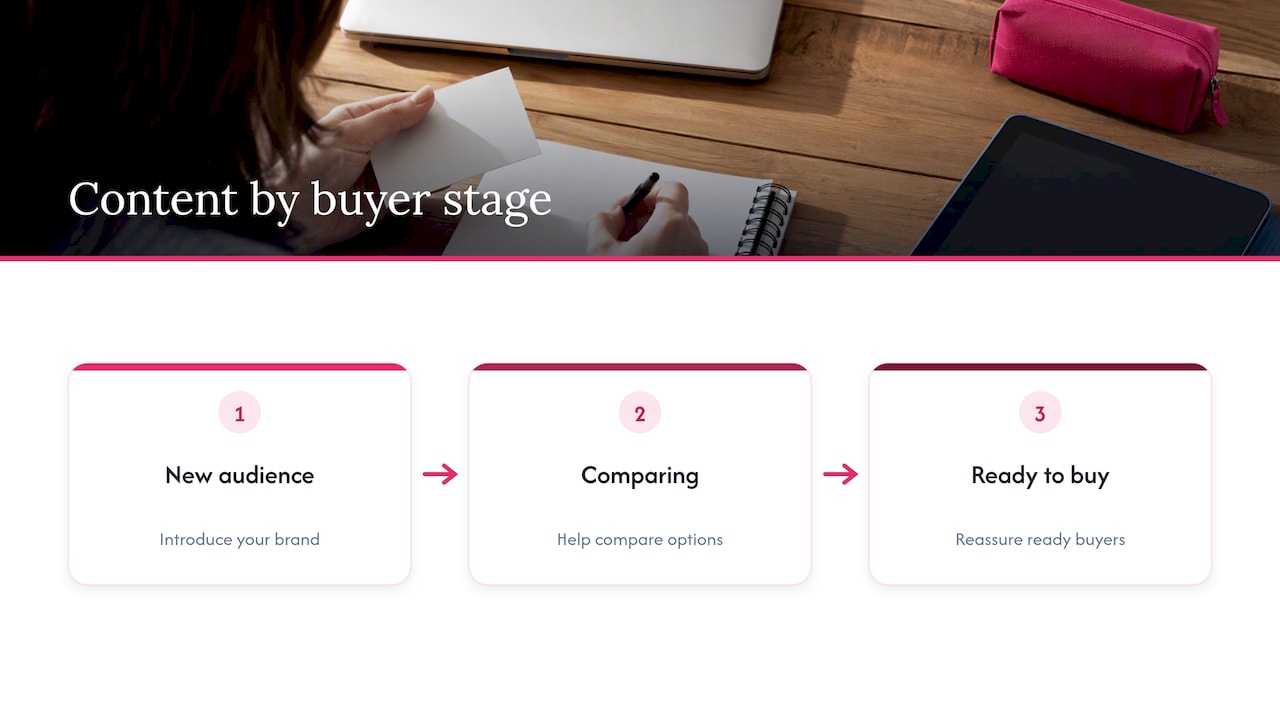
Content should not be one message repeated everywhere. The AMA says content should address audience motivations and needs at different points in the purchase process, which helps strengthen brand feelings, raise the likelihood of conversion and improve customer lifetime value. A simple way to apply it: make a few posts that introduce your brand to people who do not know you, some that help people compare options, and some that reassure people who are ready to buy. If you want a deeper look at fitting content to what audiences need, this piece on aligning content with audience needs covers the customer journey well.
Content that does not date also saves time. A library of tips, FAQs and how-to graphics can be reposted for months. We explain how to build one in developing an evergreen content strategy.
Our perspective: control and freedom are not opposites
We talk with small business owners, direct sellers, franchise networks and enterprise brands, and one pattern repeats. Headquarters worries about brand control. The people in the field worry about speed and authenticity. Both are right, and a good tool serves both.
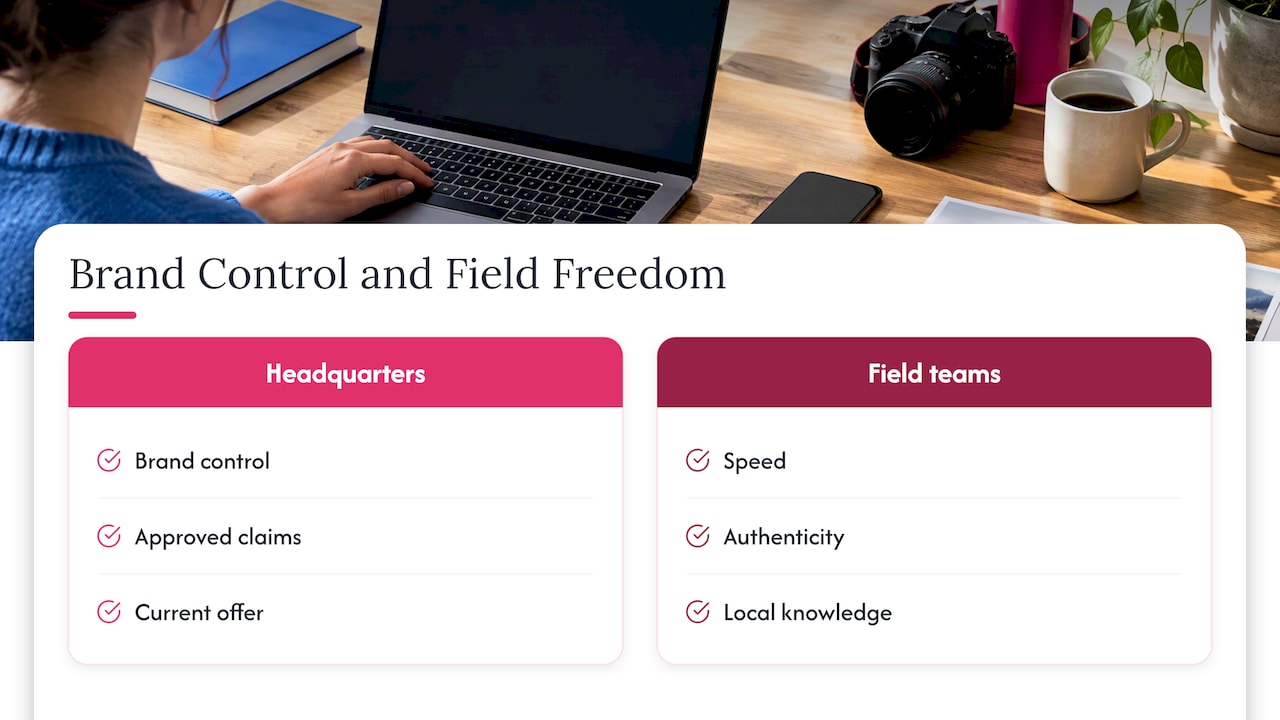
The local rep who posts an offer from a showroom, an event or a customer meeting is the person who knows what will resonate. They should not have to wait days for a designer. At the same time, the brand owner is right to want the correct logo, the approved claims and the current offer on every post. We built Photofy to bring these together in one platform: branded content creation, team approvals, asset management and automated publishing, with white-labeling and industry-specific template libraries for organizations that need the platform to carry their own brand.
Our advice, whatever tool you choose: start with the template set and the asset library, not with the feature list. If those two things are right, most of the consistency problem solves itself. Add approvals where the risk is real, then measure and adjust. A modest, well-governed process beats an ambitious one that no one follows.
— Jon
Choosing a Photofy plan
Photofy offers a free tier for personal use, with paid plans for those who want more. The prices below are as published on our site in 2026.
| Plan | Price | Who it suits |
|---|---|---|
| Small Business | $10.99 per month or $99 per year | Owners who market their own business |
| Individual Plans | $11.95 per month, $29.97 per quarter or $99.95 per year | Professionals who create their own content |
| Pro Teams | $13.00 per month per user | Teams that share content |
| Enterprise Teams | $9.00 per month per user | Larger organizations managing many users |
Franchise and enterprise programs, including white-labeling, are arranged through direct inquiry. You can see the Small Business plan, browse the Individual and team plans, or review all options on our pricing page. If you are not sure which fits, start with the free tier and move up once you know how your team creates and shares.
Agencies and brands that want the platform under their own name can read how to choose and deploy white label branding.
Common mistakes to avoid
- Buying hardware before defining the workflow. A powerful workstation does not fix a missing approval process.
- Too many tools. Each extra app adds another login, another file location and another place for old logos to hide.
- Locking everything down. Over-controlled templates push people back to making their own. Leave room for local detail.
- No owner for the asset library. Without someone responsible for retiring old files, the library fills with outdated material.
- Skipping measurement. If you never look at results, you cannot tell which content deserves to be repeated.
How to get started this week
You do not need to overhaul your process in a day. Try this sequence:
- List the five content types you post most often.
- Build or choose one template for each, with fixed and flexible areas clearly marked.
- Gather your current logos, photos and PDFs into one library and remove what is outdated.
- Decide which kinds of post need approval and who gives it.
- Schedule two weeks of content in one desktop session, then review what performed.
That is enough to see whether the approach saves time. If it does, expand the template set and bring in more of your team. The Photofy overview shows how the pieces fit together.
FAQ
What is the difference between desktop content creation and desktop publishing?
Desktop publishing focuses on page layout, typography and documents, often for print. Desktop content creation is broader and covers the digital posts, videos and PDFs a business produces regularly for marketing. The two share some skills, but content creation puts more weight on speed, collaboration and publishing across channels.
Do I need a high-end computer for desktop content creation?
Not for most marketing work. Branded images, short stitched videos and scheduled posts run well on an ordinary modern computer, especially when the tool handles the heavy lifting. Workstation-class hardware matters mainly when you edit long, high-resolution video or render 3D work.
How can I keep branding consistent when many people create content?
Build the rules into approved templates, share one asset library and add an approval step for content that carries risk. Separate what must stay fixed, such as logo and legal text, from what local users may change. That gives people freedom without brand drift.
Is there a free option?
Yes. Photofy has a free tier for personal use. Small businesses, teams and enterprises can move to paid plans when they need more, and the plan details are on our pricing page.
Sources
- What is Content Marketing? A Beginners Guide, American Marketing Association
- Commonly Asked Marketing Questions, American Marketing Association
- Desktop Publishing: Benefits, Limitations & Business Use, GTELocalize
- Desktop Publishing products, Enlyft
- The Ultimate Guide to Digital Asset Management Workflows, Brandfolder